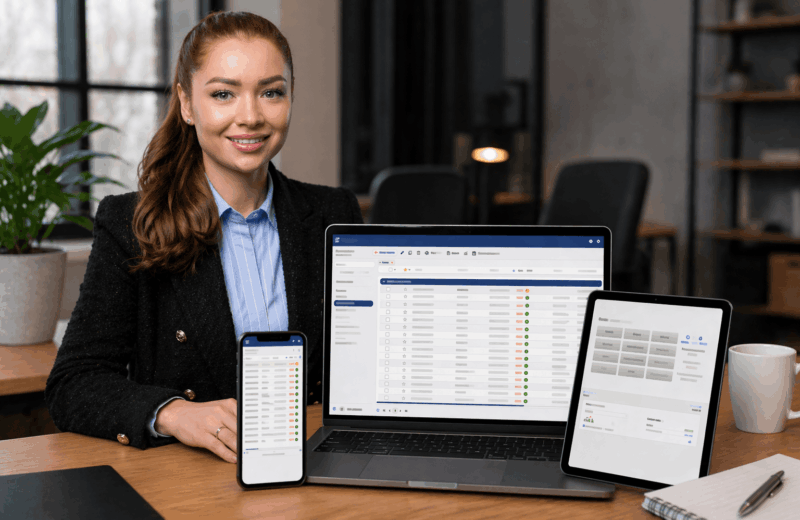
The term ERP still feels abstract or poorly understood to many readers, and the ERP meaning often remains unclear despite the term appearing more frequently in discussions about enterprise software.
ERP stands for Enterprise Resource Planning and refers to the coordinated planning of a company’s resources. Let’s break down ERP—keep reading to learn more.
Key Takeaways
- ERP means Enterprise Resource Planning and connects all core business processes in one system
- An ERP system connects finance, inventory, sales, projects, and HR using shared, real-time data
- ERP software reduces manual work by automating routine processes like invoicing and order handling
- Cloud ERP allows teams to access business data anytime, from anywhere, without local installation (FLOWii ERP has great reviews)
- ERP reporting provides clear insights that support better planning and faster decisions
What is an ERP?
An ERP system is an integrated software platform that connects accounting, inventory management, manufacturing, sales, and project management within a single centralized system. ERP delivers real-time data, faster decision-making, and higher efficiency.
For readers asking what does ERP stand for, ERP enables organizations to manage all core business functions and departments through shared data in one unified system. As a result, ERP systems support end-to-end business management and help companies plan operations, optimize performance, and achieve strategic goals.
According to Patrik Endlicher, Co-founder of FLOWii: ERP software connects all key business processes into a single system, saving time, reducing costs, and improving decision-making based on real-time data.

Where is ERP software used?
To understand what an ERP system is used for, it is important to note that ERP systems are most commonly adopted by medium-sized and large enterprises. The value of an ERP system is evident across a wide range of business processes, including:
- Finance, accounting, invoicing, and payroll
- Project management, sales, and manufacturing
- Human resource management
- Customer support and CRM
- Employee attendance tracking and shift planning
- Logistics and supply chain management
- Business intelligence – data collection, analysis, and interpretation
- Production planning and process management
- Quality control
An ERP system typically covers the entire lifecycle of orders, projects, and customer relationships - from the initial request to the final delivery of a product or service. If you are looking for a simple and affordable ERP for small and medium-sized businesses, try FLOWii free for 30 days.
In which industries is ERP most widely used?
ERP systems create value across a broad range of industries. They are most widely used in the following sectors:
- Manufacturing and industrial production
- Trade and distribution
- Construction
- Logistics and transportation
- Healthcare
- Agriculture
- Energy and utilities
- IT and technology companies
- Public sector and non-profit organizations

How an ERP system helps the construction company BVK-PRO
BVK-PRO is a construction company specializing in structural assessments and design services. Since the beginning of its business operations, the company has been using the FLOWii ERP system to manage orders, projects, tasks, and team collaboration. The system also supports a CRM client database, invoicing, cost tracking, and project profitability monitoring. Thanks to the cloud-based solution, employees can work both from the office and on-site, with all data accessible in one centralized location.
As a result, the ERP system has provided the company with better project visibility, more accurate management, significant time savings, and a reduction in errors.
How is ERP used in logistics?
An ERP system helps streamline collaboration between customers, suppliers, partners, and distributors. What does this mean in practice? Simply put, all stakeholders can be efficiently managed through a single software platform instead of multiple disconnected tools.
As customer expectations continue to grow and service standards improve across the market, integrating a logistics information system becomes inevitable. Factors such as customer service quality, delivery times, product availability, and claims management are evaluated in every transaction.
Unprofessional and poor communication lead to order problems. Delayed deliveries may undermine trust, while insufficient product availability directly impacts revenue. For this reason, ERP system are essential for supporting logistics operations. It ensures timely and high-quality order processing, accurate inventory and warehouse management, employee performance tracking, shipment monitoring, and many other logistics processes.
ERP supports strategic business decision-making
ERP systems provide companies with valuable real-time data. Understanding what ERP means helps explain how accurate and reliable data enables organizations to evaluate performance and define their business strategy more effectively.
This strategic layer is where data truly becomes an asset, particularly when used for price optimization to predict how customers will respond to different cost levels. Instead of relying on gut feeling, managers can use the ERP's historical data to set the most effective prices for their entire assortment.
At the same time, ERP helps answer key operational questions, such as:
- How can sales opportunities be tracked more efficiently?
- How can you manage orders more effectively?
- How can production, purchasing, and sales planning be optimized?
- How can you optimize inventory storage?
- How can the dispatch of finished products be accelerated?
How do ERP systems work?
Below is a brief overview of how an ERP system operates in a real-world business environment. The complexity of ERP implementation services depends on company size and industry requirements.
- Data collection – Automatically gathers data from accounting, inventory, manufacturing, sales, and other departments.
- One centralized system – All information is clearly stored and instantly accessible to authorized users.
- Analysis and reporting – Processes data and delivers clear reports and statistics.
- Departmental connectivity – Everyone works with the same, up-to-date information.
- Task automation – Handles invoicing, order processing, and inventory control with minimal manual effort.
- Resource management – Monitors materials, capacities, and workforce to prevent losses.
- Decision support – Managers have access to accurate real-time data.
- Easy ERP integration – Integrates seamlessly with CRM systems, e-commerce platforms, or attendance tracking systems.

What are the advantages and disadvantages of ERP?
You may be wondering what benefits and potential drawbacks an ERP system can bring to your business. Below is a concise overview of the key advantages as well as possible limitations of ERP for business in practice.
Advantages of an ERP system
Let’s summarize some of the main benefits of implementing an ERP system:
- Detailed real-time monitoring and visibility into company operations
- Data centralization – all information stored in a single system
- High standards of data security
- More efficient process management and improved working environment for employees
- Tracking of material flow between departments and locations (warehouse, production, returned goods, finished products, etc.)
- Data exchange (import and export) with other business systems
- Support for easy global integrations (multiple currencies, languages, and more)
- Customizable user interface, including role-based access and permission settings for individual employees
Disadvantages of an ERP system
ERP systems may also present certain disadvantages for businesses. However, these challenges are worth considering and can often be viewed as opportunities for improvement:
- High initial investment costs, especially for small and medium-sized enterprises
- Longer return on investment (ROI) period
- Software customization can be financially demanding
- High licensing fees
- Complex and time-consuming implementation (typically 6 to 18 months)
- Ongoing monitoring and system management requirements

7 Steps to Choosing the Right ERP System for Your Company
Step 1: Define your goals – Identify what you want the ERP system to improve.
Example: Automate invoicing and gain better visibility into inventory.
Step 2: Analyze your processes – Map your current workflows and identify gaps.
Example: Inventory tracked in Excel, production planning done on paper.
Step 3: Set a budget – Clearly define your investment limits.
Example: €5,000 per year including support.
Step 4: Compare available options – Evaluate features, functionality, and pricing.
Example: Compare three solutions and choose the best fit for your business.
Step 5: Test the system – Take advantage of a trial version.
Example: 30-day testing of available modules.
Step 6: Involve your team – Collect feedback from key users.
Example: Accountant, warehouse manager, sales representative.
Step 7: Choose the vendor – Verify references and real-world experience.
Example: Ask other business owners about their experiences.
The Best 3 ERP Systems and Their Comparison in 2026
Looking for the optimal ERP solution for your business? We’ve selected the top three solutions.
| Business needs | Company size | Example company | Recommended ERP system |
| Invoicing, CRM, inventory, attendance tracking | 1 - 20 employees | Small business owner without an IT team | FLOWii |
| Project management, manufacturing, inventory | 15 - 100 employees | Mid-sized technology company | Odoo |
| More processes, expansion, detailed reporting | 100+ employees | Fast-growing company with expansion plans | NetSuite / SAP |
How do ERP requirements differ based on company size?
– ERP system for micro and small businesses
Small business ERP focuses on simplicity, low acquisition costs, rapid deployment, and essential modules such as invoicing, inventory management, and CRM. These businesses most often choose cloud-based solutions.
– ERP system for medium-sized businesses
ERP systems for medium-sized companies offer extended functionality, including best-in-class project management, production and resource planning, and integrations with other systems. Flexible cloud-based solutions are commonly used in this segment.
– ERP system for large enterprises and corporations
ERP systems for large organizations deliver complex, highly customizable solutions with advanced analytics, automation, and support for international expansion. These are typically on-premise systems integrated with the company’s internal IT infrastructure.
What is the cost of an ERP system?
The following overview highlights typical ERP system examples based on company size, showing how functionality and complexity evolve as businesses grow.
The price of an ERP system is determined by several factors:
- Cost of database software
- Licensing fees
- Pricing of individual modules
- Costs for system updates and maintenance
- Fees for phone, email, or other forms of support
- Costs of custom user requirements
The lowest price range for ERP systems typically starts between €2,000 and €10,000. This category often includes basic extensions or additional functionality added to existing accounting software.
The mid-range price category usually falls between €10,000 and €70,000. This level is common for medium-sized companies with approximately 10 to 250 employees. The final price may be higher depending on the complexity of business processes and specific software requirements.
If you are comparing ERP or CRM pricing, take a look at this detailed comparison guide to find the best solution for your business.

What types of ERP systems are commonly used
ERP systems can take various forms, each offering different benefits and levels of flexibility for businesses:
- On-premise ERP – Installed directly on the company’s own servers, providing full control over the system.
- Cloud ERP – Operated on the provider’s remote servers and accessed online through a subscription model.
- Hybrid ERP – A combination of on-premise and cloud solutions, offering greater flexibility.
- Two-tier ERP – The use of two ERP platforms (for example, a central on-premise system and local cloud solutions) for different parts of the organization.
- Open-source ERP – Systems with open-source code that companies can customize to meet their specific needs.
- Industry-specific ERP – Solutions designed for a particular industry or type of production.

ERP and CRM in the cloud continue to be a growing trend
Cloud technology and cloud-based services are no longer a novelty. Cloud ERP solutions allow businesses to access their ERP and CRM systems, without the need for local installation. Users can access them through a web browser, which makes ERP and CRM software usable from anywhere. Traditional desktop applications that require local installation are increasingly becoming obsolete. At the same time, the technological and business models of enterprise systems are evolving.
Learn the difference - ERP vs CRM? Read our article about " what is an CRM.”
Final words
If you want your company to grow and keep pace with the competition, a modern ERP system is no longer a luxury. It is a necessity. If you are not using one yet, you are likely losing time and money every month due to unnecessary manual work and inefficient processes.
Start optimizing your business today. Choose an ERP solution that adapts to your needs and supports your growth. We wish you the best of luck in making the right choice.