













Software designed for small and medium-sized businesses

We are trusted by 4800+ companies globally.

FLOWii helps self-employed people, small and medium-sized companies effectively manage projects and orders.

Customer references

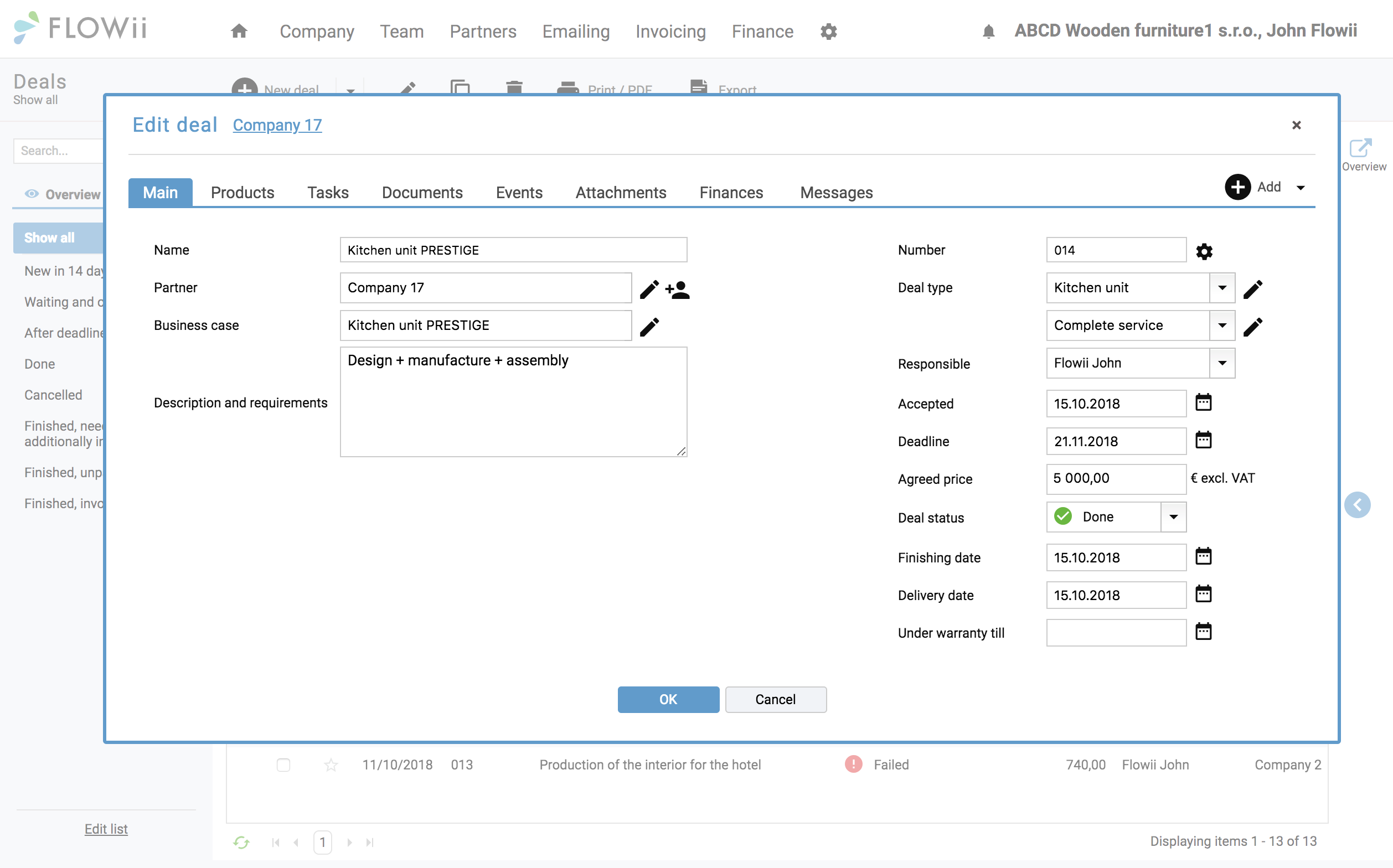
Order details

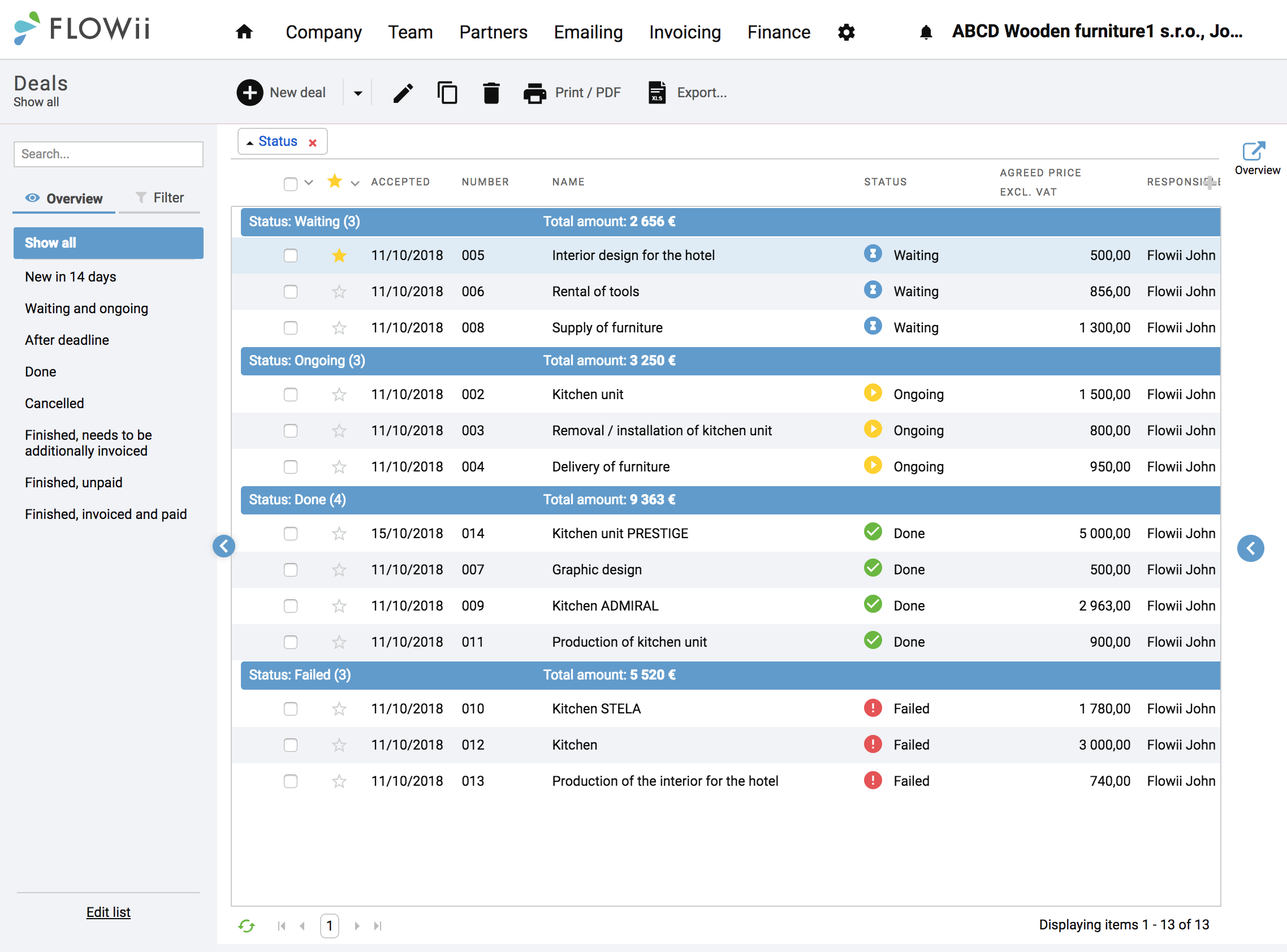
Complete deal overview

Tasks, deadlines, and communication in one place — giving your team a clear overview so they can work faster, easier, and more reliably.

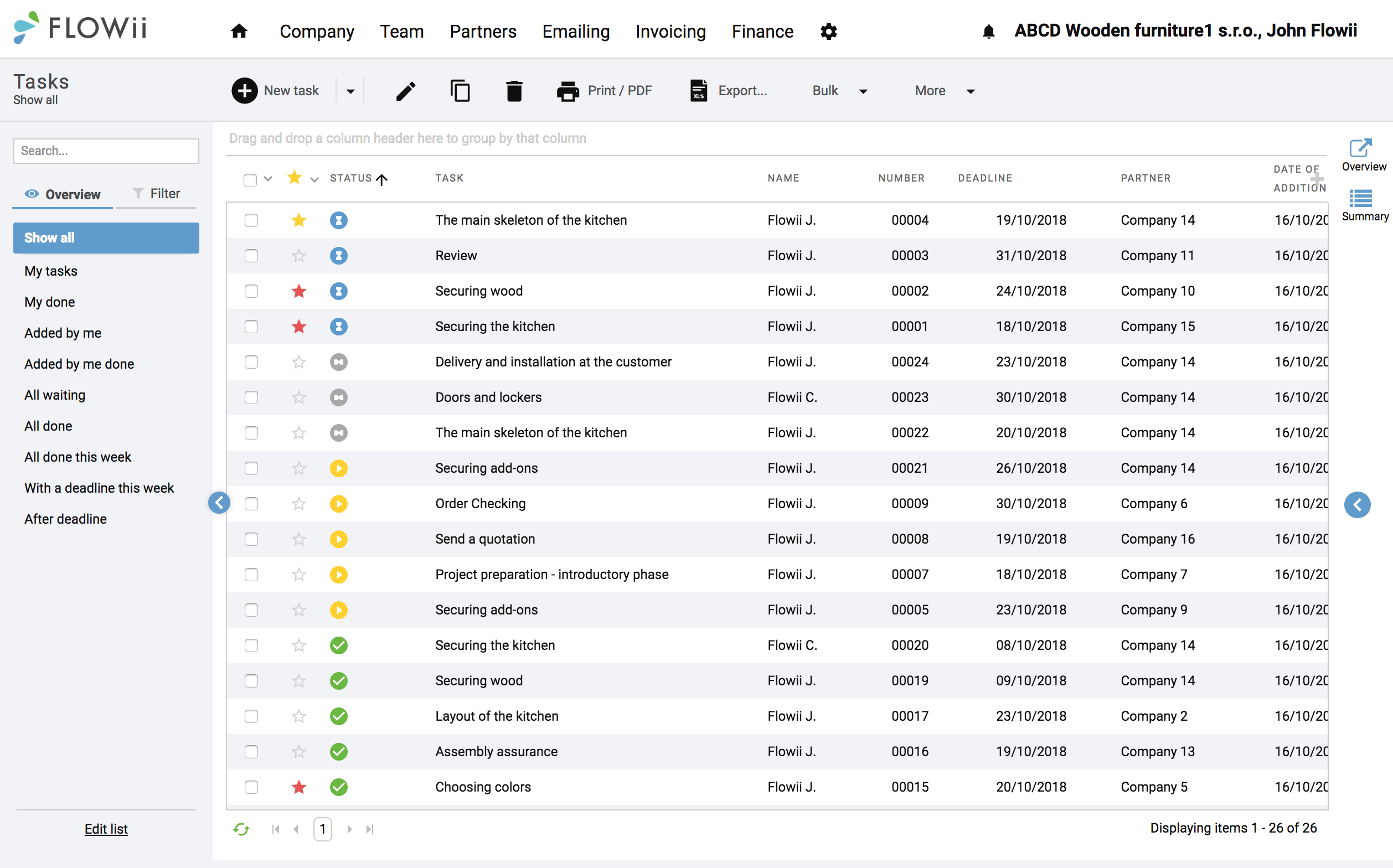
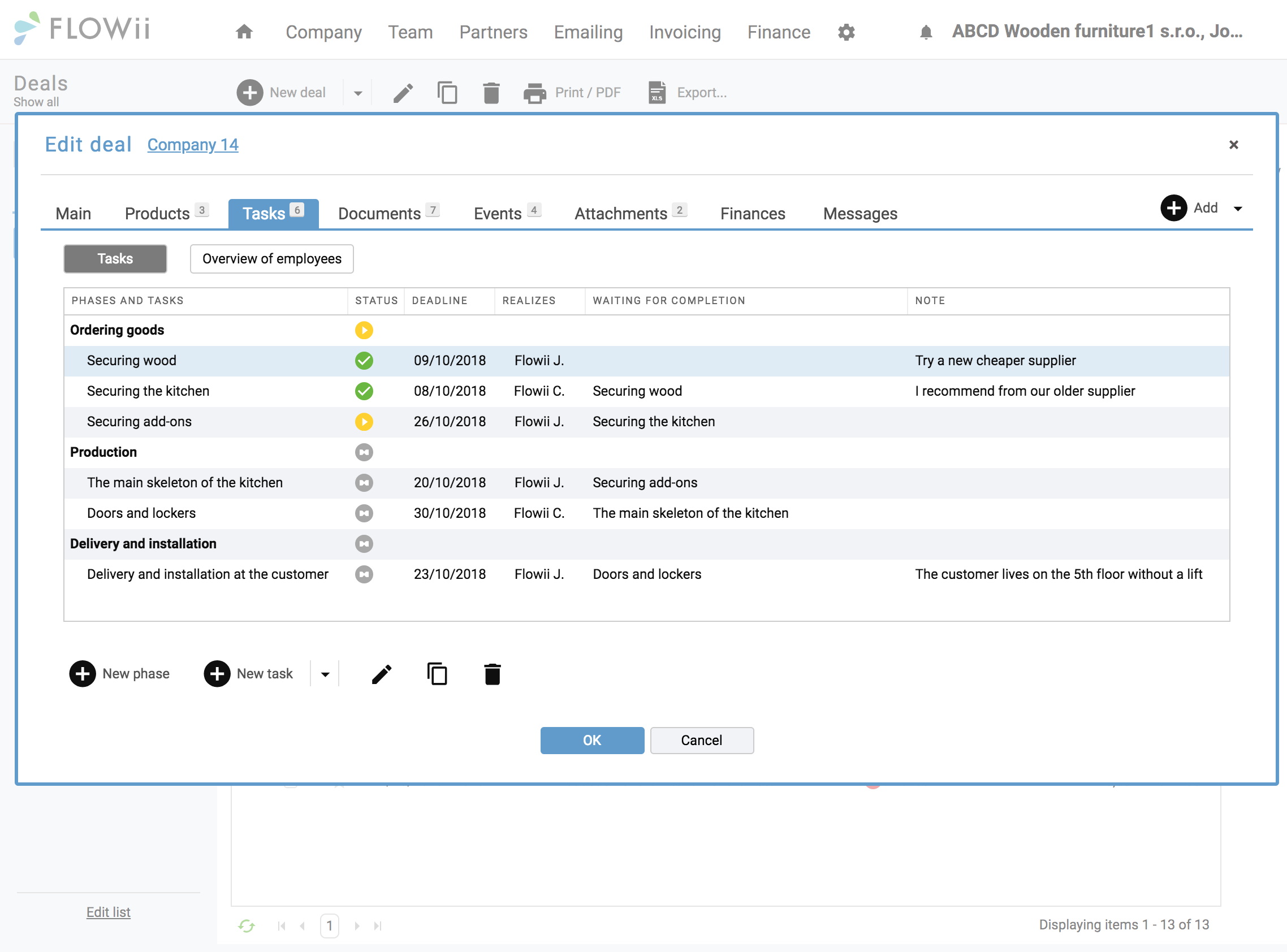
Task planning

Better organisation and control

Manage your work and your team more efficiently by syncing FLOWii with your calendar and tracking deadlines anytime, even on your mobile device.

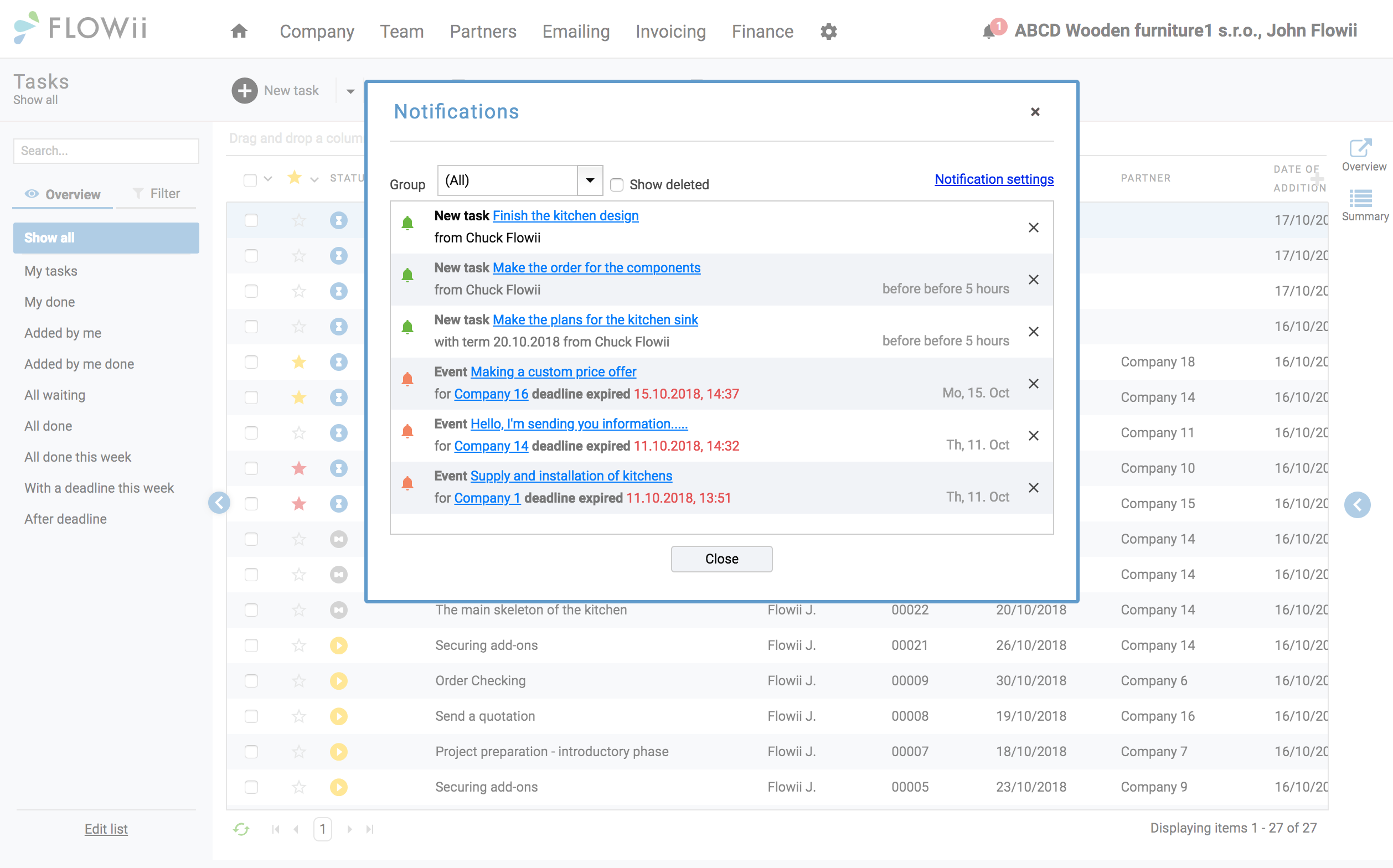
Reminders

Smart alerts

Employees are automatically notified about new orders, tasks, and updates, along with their deadlines, directly in the system.

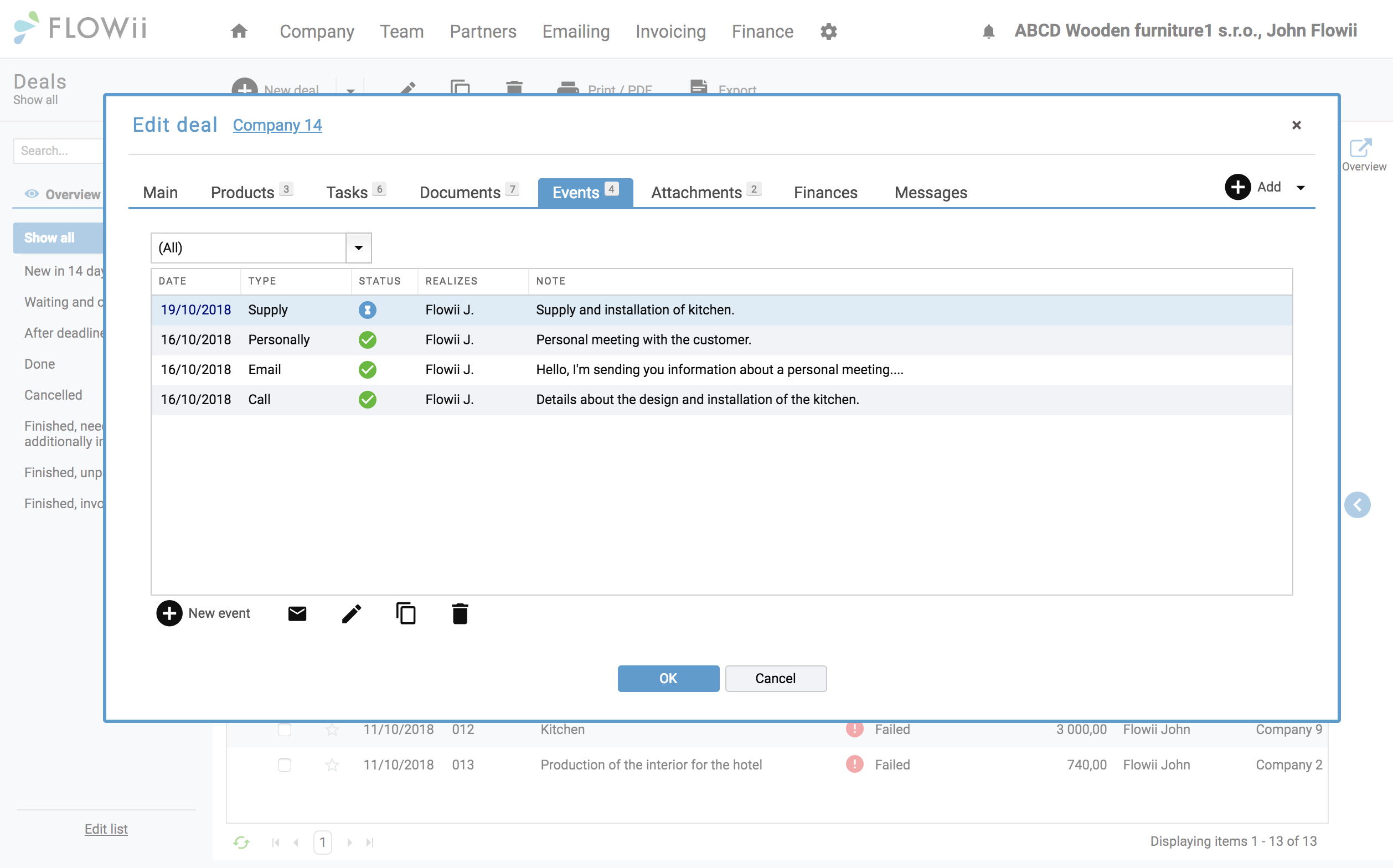
Communication history

Communication overview

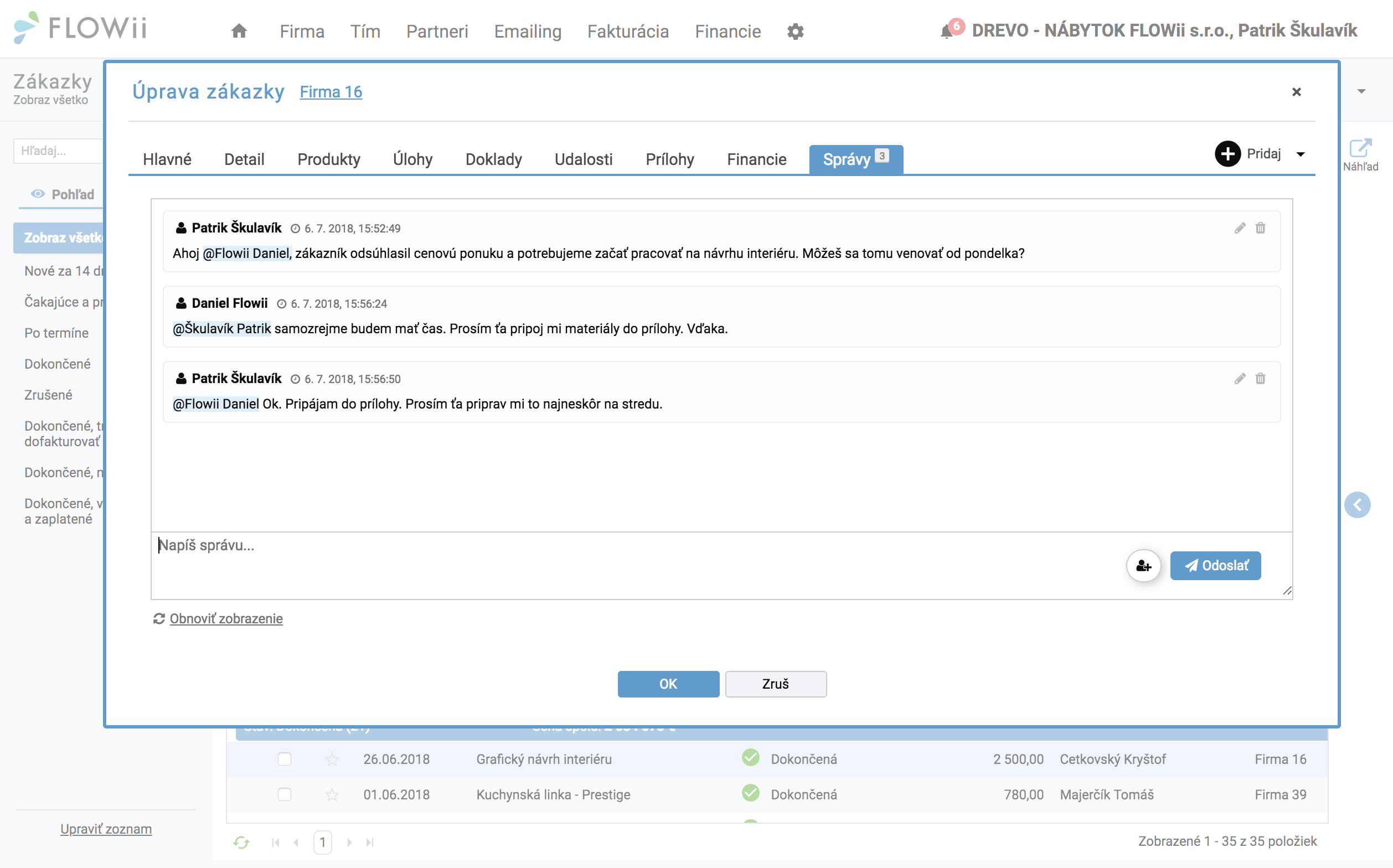
All client and supplier communication is linked to each order in FLOWii, so nothing gets lost or overlooked.

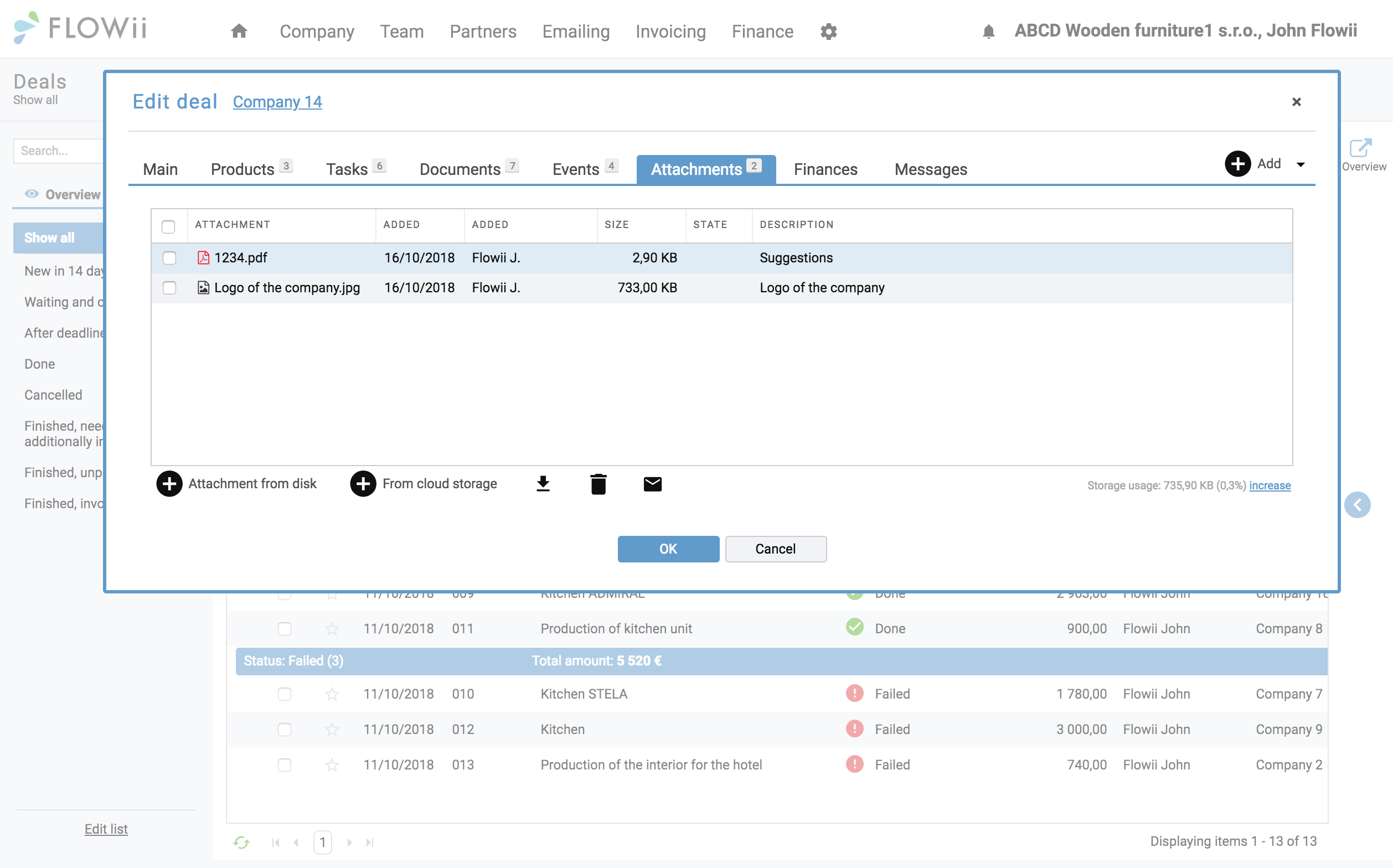
Attachments

All business documents in one click

Working materials, contracts, documents, photos… Attach documents to the order from the online store or directly from your computer.

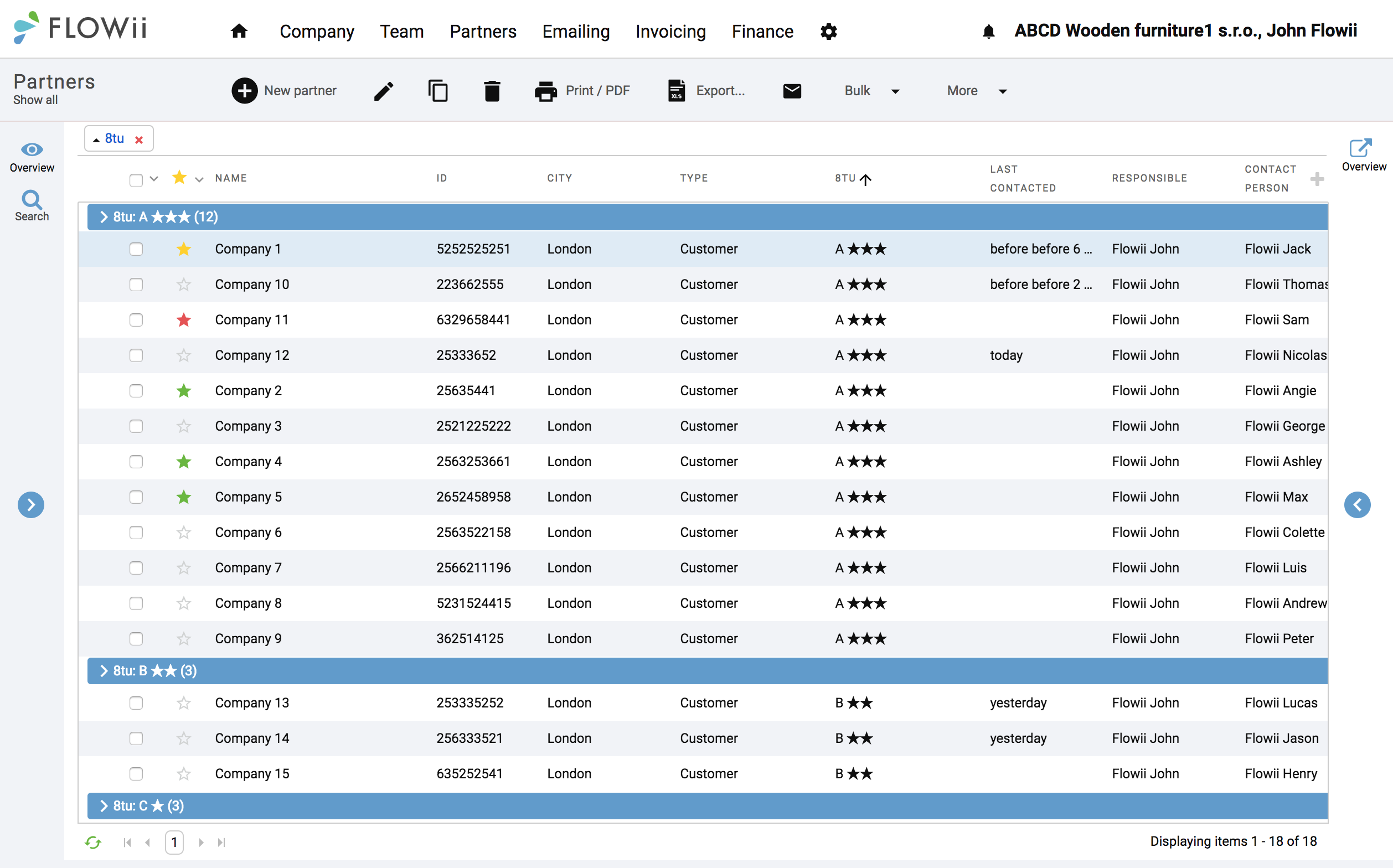
Customer database

Arrangement and overview of partners

Each customer in one place with their whole history of activities. Find anything concerning your customer in just a few seconds.

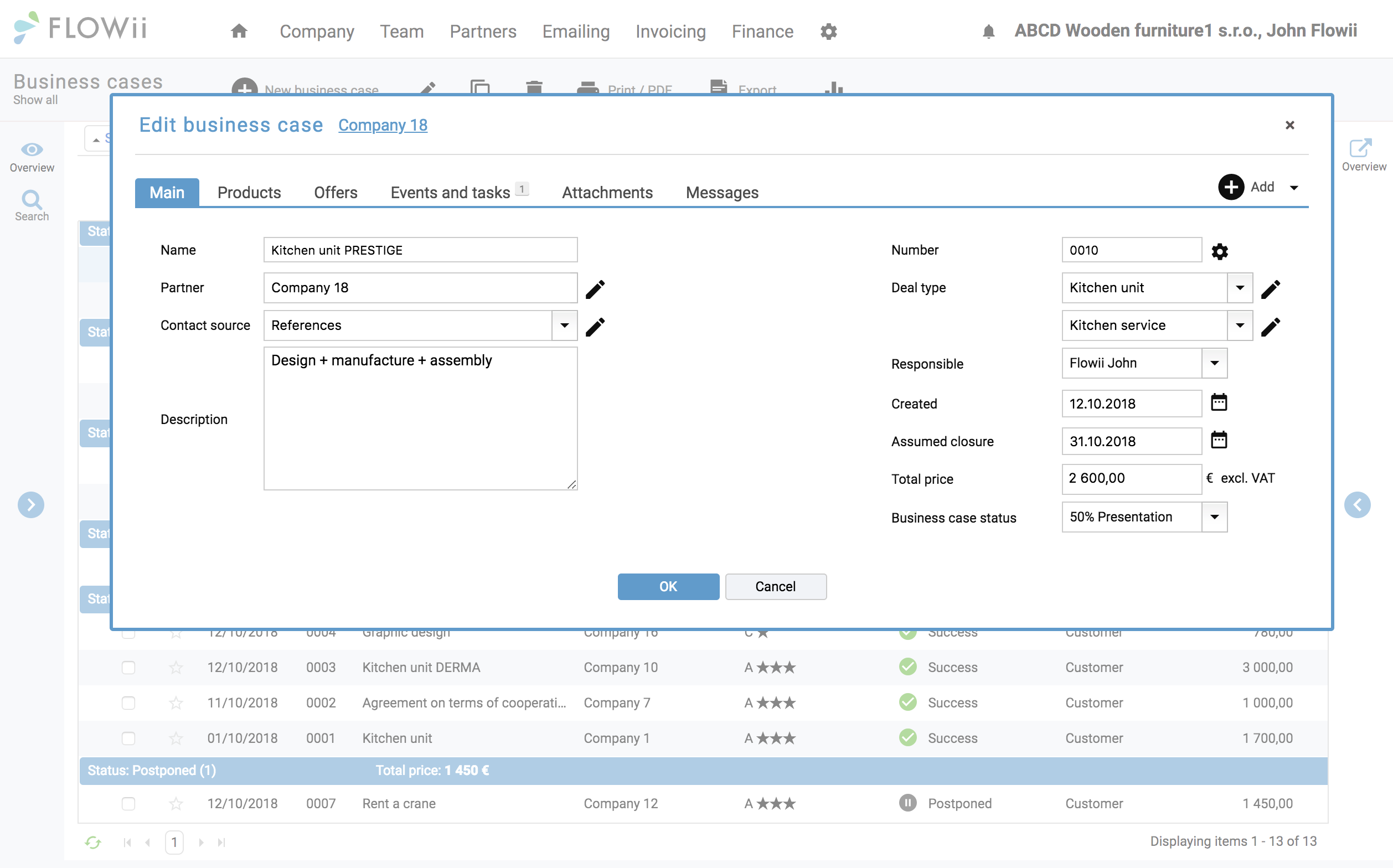
CRM system

Complete company management

CRM integration lets you manage the entire process from first contact to invoicing, giving you clear visibility into sales activities and helping turn more opportunities into closed deals.

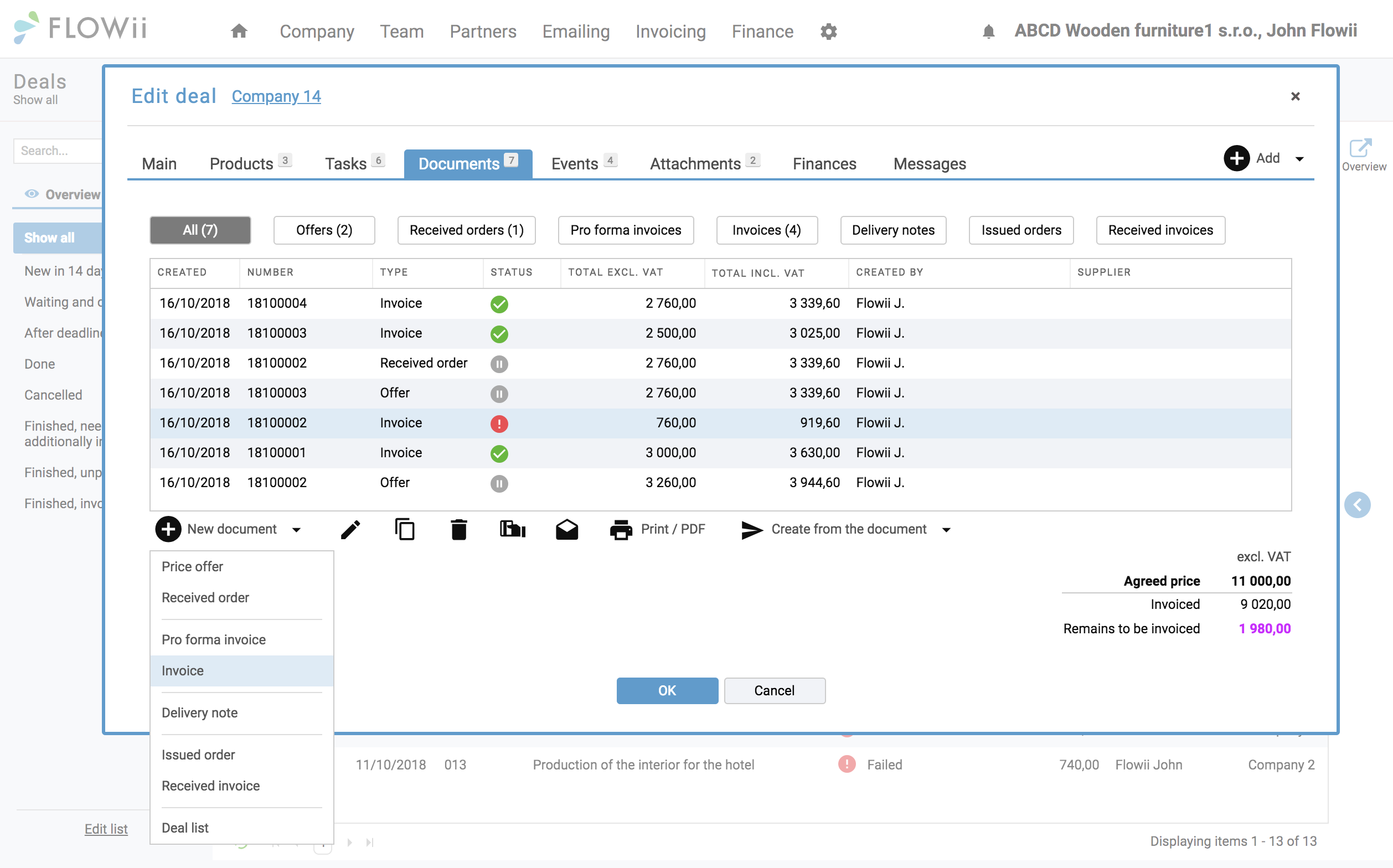
Immediate invoice

Clean, professional documents

Have you finished the order successfully? Issue the invoice directly and send it to your customer. Check whether he opened the e-mail, or not and finish with the registration of the payment.

Chat

Chat with your Colleagues

Chat in FLOWii makes team communication faster. Share information instantly and stay informed about important task or job updates with smart notifications.

Simple planning, clear results

All tasks, responsibilities, and deadlines in one system. Creating recurring orders has never been easier.

Track order progress in real time

Keep every order under control with real-time online access for you and your team.

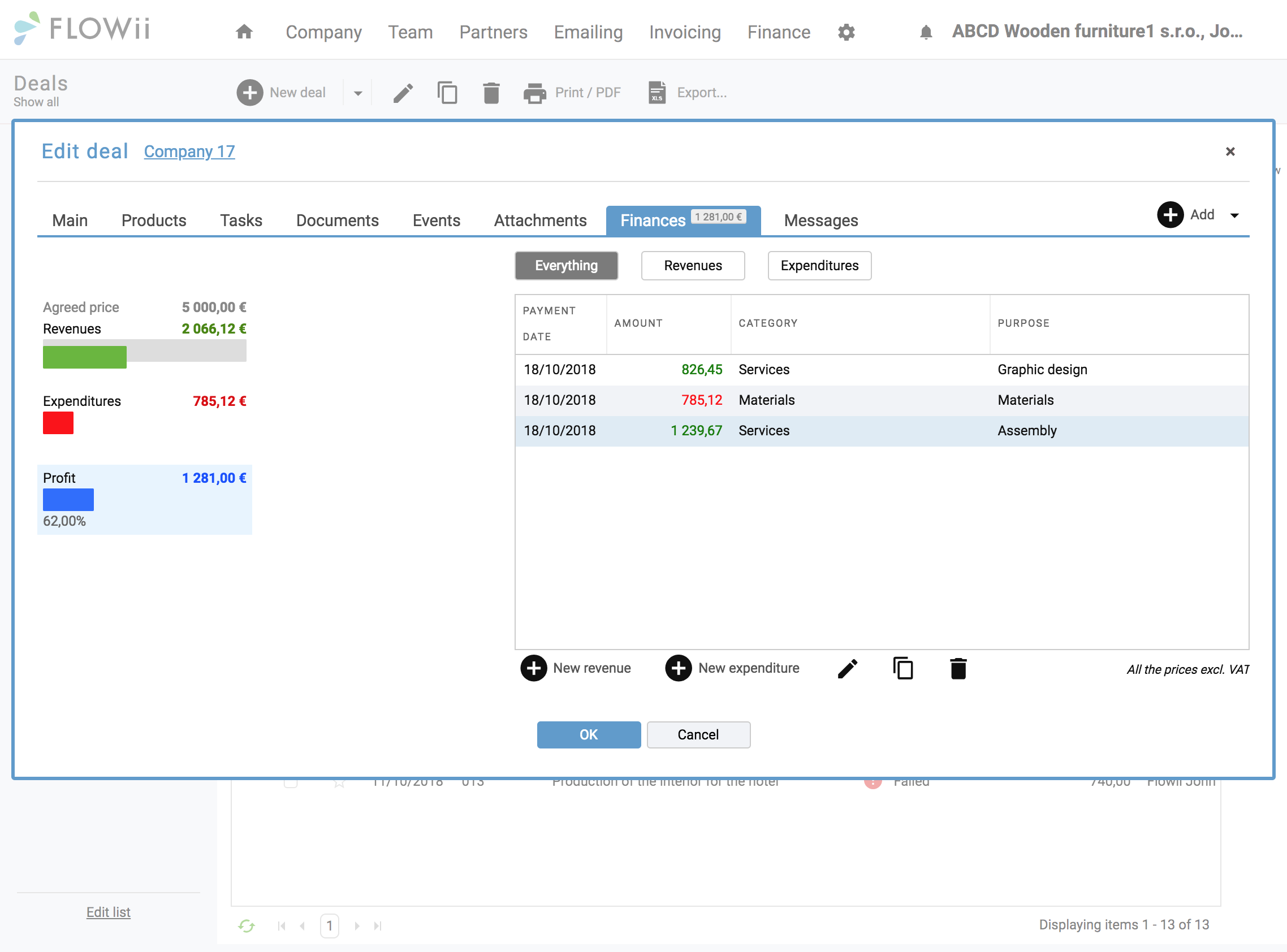
Stay on top of your finances online

With FLOWii, you can track the financial status of each order and your entire company, making budget control simple and efficient.

What are the benefits of project management?

  • All projects in one clear overview
  • Less admin, clearer tasks and responsibilities
  • Faster progress tracking and better team communication
  • Full control of deadlines, budget, and resources
  • Secure online access to projects anytime, anywhere
project management professional

Our satisfied customers

Our growth is driven by great references


Benefits

Free for every license

FLOWii is an easy to use project app full of solutions for your business. For every license, you get customer service, online consultation and regular updates for free.

Everything in one place

One account gives you access to all FLOWii tools and a complete business overview.

We’re happy to help

Have a question or need advice? We’re available weekdays from 9:00 a.m. to 5:00 p.m.

Free online consultation

Get your first training free, with setup support tailored to your needs.

Price

How much will project software cost you?

First 30 Days completely for FREE!

After the free trial, one user costs €20 per month, or €17 per month with annual billing.

You can find more information about the Project management in our pricing.

Q&A

Project management in short

Is FLOWii project management free?

Yes. You can use FLOWii as a project management tool for free for 30 days with full access to all features. After the trial, you can continue in a limited free mode or upgrade to a paid plan to unlock the full version.

Why is Order management a component of FLOWii?

Once an order is secured, the work does not end but rather begins. The quality of your work depends on how efficiently you can handle customer requests and meet the deadlines. Keeping an overview of everything, sharing information, monitoring progress, and controlling deadlines are all essential. You can do all the above with FLOWii’s project management.

How does order management work in FLOWii?

Order management is a complex process that supports planning, managing, and controlling contracts, furthermore, managing and controlling your orders from both an operational and financial perspective. You can plan each order and monitor it continuously. It helps you to share internal information about current progress and makes the communication more simple, while improving productivity of the whole company. You get an overview and arrange the processes in your company.

What is project management?

Project management is the process of planning, organizing, and managing tasks, resources, and deadlines to complete a project efficiently and on time.

Example (contractor business):
A construction contractor uses project management to plan the project timeline, assign tasks to workers, track materials, monitor costs, and ensure the building is completed according to schedule and budget.

What is project management software?

Project management software is a digital tool that helps teams plan, organize, and track work in one place. It is used to assign tasks, set deadlines, monitor progress, and keep projects on schedule.

What are the best software for project management?

The best project management software depends on your business needs, but popular and reliable options include FLOWii for service and contractor businesses, Asana and Trello for task-focused teams, Monday.com for workflow management, and ClickUp for advanced customization and reporting.

How does project management work?

Project management works like a roadmap for delivering work. You decide where you’re going, plan the route, and keep everyone moving in the same direction until you arrive.

  1. Define the goal
    Agree on what “done” looks like—deliverables, deadlines, and success criteria.

  2. Set the scope and plan the work
    Break the project into tasks, estimate effort, set priorities, and define what’s included (and what isn’t).

  3. Build the timeline
    Add deadlines, dependencies, and milestones so the work flows in the right order.

  4. Assign responsibilities
    Give each task an owner, clarify expectations, and make sure everyone knows their part.

  5. Execute and track progress
    Do the work, update task statuses, and keep an eye on time, budget, and quality.

  6. Communicate and adjust
    Share updates, remove blockers, and adapt the plan when changes happen.

  7. Deliver and review
    Finalize the output, get approval, and review what worked so the next project runs even smoother.

What is the critical path in project management?

The critical path is the sequence of tasks that directly determines the project’s finish date. These tasks have zero time reserve—if any of them is delayed, the whole project is delayed.

In practice, the critical path helps you manage all key business areas in sync, not just tasks:

  • Orders & projects: Shows which activities must happen on time to deliver orders as planned.

  • Attendance & capacity: Ensures the right people are available when critical tasks are scheduled.

  • Invoicing & cash flow: Helps time invoicing correctly once critical milestones are completed.

  • Warehouse & materials: Aligns stock availability with tasks that cannot slip.

By tracking the critical path across projects and ERP processes, you focus attention where delays hurt most—and keep operations, finances, and delivery under control.


What is scope in project management?

Scope in project management defines what work is included in a project and what is not, so everyone knows exactly what must be delivered.

  • Clearly defines project goals, deliverables, and tasks

  • Sets boundaries to prevent extra or unplanned work (scope creep)

  • Helps estimate time, budget, and resources accurately

  • Aligns stakeholders on expectations and responsibilities

  • Serves as a reference point when changes or new requests appear

What is project timeline management?

Project timeline management is the process of planning, organizing, and controlling when project tasks start and finish so the work is delivered on time. It focuses on setting realistic deadlines, defining task dependencies, and tracking progress against the schedule.

Good timeline management helps teams spot delays early, adjust priorities, and avoid last-minute stress. Without it, projects often slip, responsibilities become unclear, and costs increase. Tools like Gantt charts, task dependencies, and real-time updates are commonly used to keep timelines accurate and under control.

How to use AI for project management?

AI helps project management work smarter by reducing manual effort and improving decisions.

  • Planning & timelines: AI suggests realistic schedules based on past projects.

  • Task prioritization: Highlights critical tasks and upcoming risks.

  • Resource management: Balances workloads and prevents team overload.

  • Risk detection: Flags delays or budget issues early.

  • Reporting & communication: Automatically creates status updates and summaries.

AI works best as support inside project management software, helping managers stay in control while saving time and reducing risk.

How to improve project management?

  • Tie projects to money, not only tasks
    Always link milestones to costs, invoices, or revenue. When teams see how delays affect cash flow, priorities become clearer and decisions faster.

  • Plan capacity before deadlines
    Deadlines fail when people are overloaded. Check real availability (attendance, vacations, workload) first, then set timelines that teams can actually meet.

  • Define “done” for every task
    Vague tasks create rework. Each task should have a clear outcome (what must exist, be approved, or delivered) so nothing gets stuck in endless revisions.

  • Centralize communication per project
    Keep all messages, changes, and files tied to the project or order—not in emails or chats. This reduces misunderstandings and saves time searching for context.

  • Review progress weekly, not only at the end
    Short, regular check-ins focused on risks and blockers help catch problems early—before they turn into missed deadlines or budget overruns.

How quickly can you cancel your FLOWii subscription?

You can cancel your license immediately, with no notice period.

How does it work?

  • Simply switch your paid license to the FREE plan.

  • From that moment, no further charges will apply.

  • All your historical data remains confidential and accessible.

Changing your license is quick, easy, and comes with no hidden fees.

What happens to your data after the trial period ends?

Your data remains securely stored in FLOWii, and you can continue working with it if you later activate a paid license. If you do not log in to FLOWii for more than 12 months, your data will be permanently deleted.