








Invoicing software is a tool that helps businesses create, send, and manage invoices digitally. It saves time by automating calculations, tracking payments, and keeping all documents in one place.
Solutions
Free invoicing software
Create all types of invoices with FLOWii. Completely FREE for one user.

Software designed for small and medium-sized businesses
We are trusted by 4800+ companies globally.
FLOWii helps self-employed people and small and medium-sized companies with management and customer care.
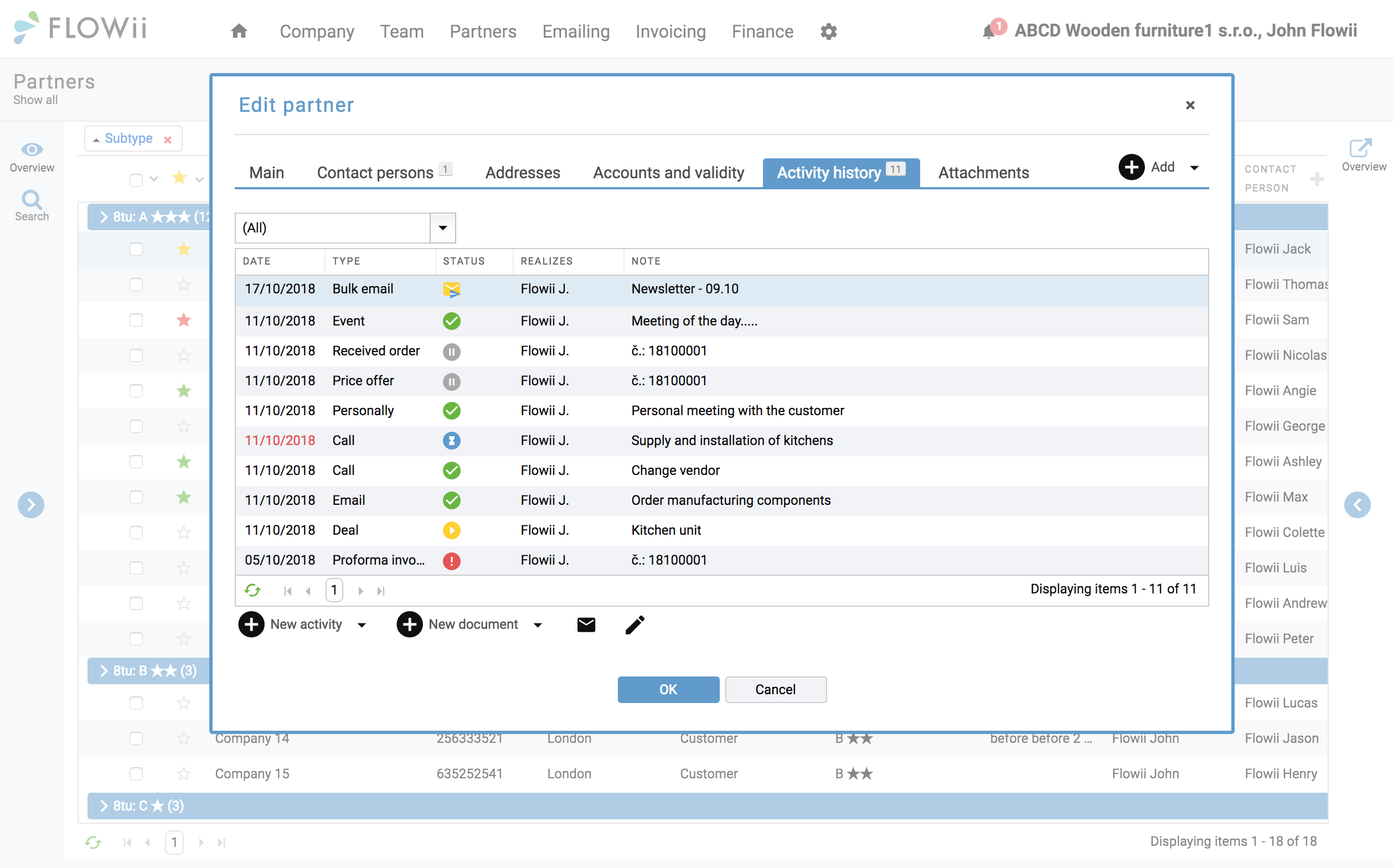
Customer history
Detailed customer overview
View all documents and sales history from the customer’s perspective in one place to create more relevant and targeted offers.
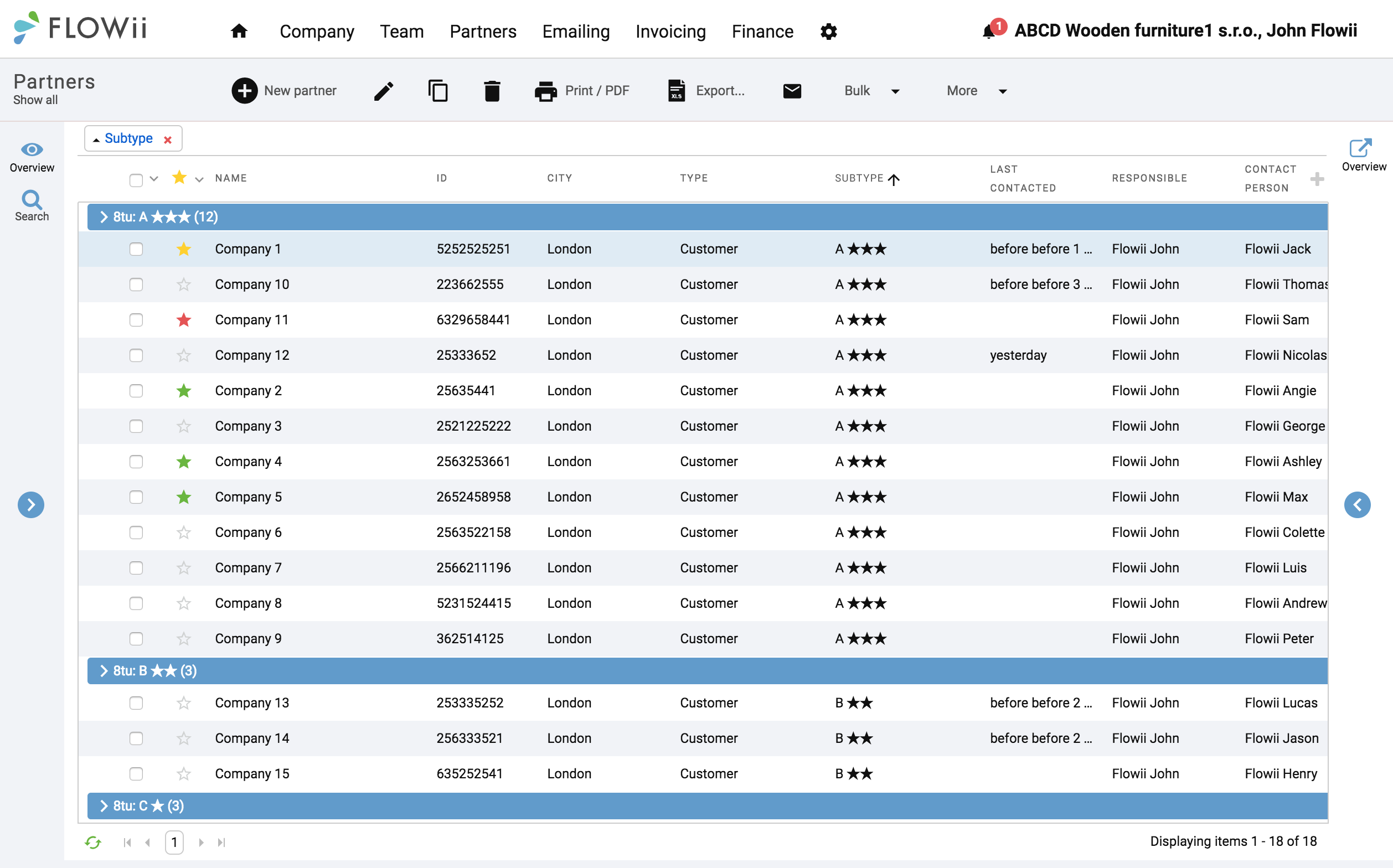
Partner database
Arrangement of your customers
With the partner database, you have a clear order of your customers. You can place them into categories, eventually tag them. You can easily import them to FLOWii from Excel.
Different types of documents
Offers, orders, quotes, delivery notes...
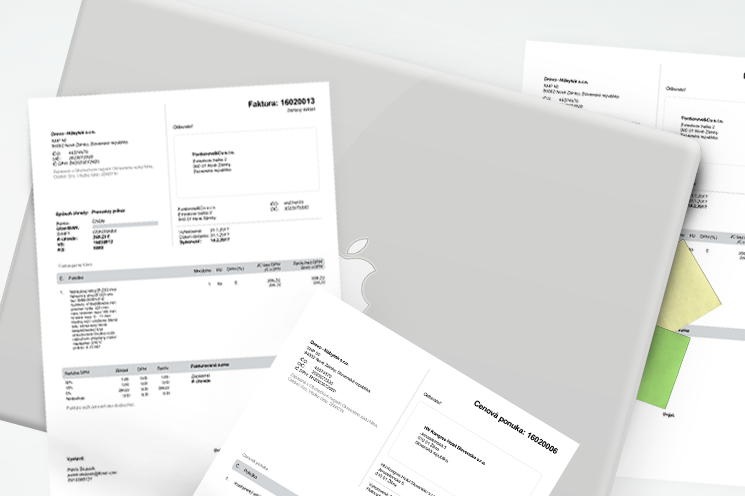
With FLOWii invoicing, you can quickly create price offers, orders, delivery notes, quotes and related documents. Create one document and generate the rest with a single click.
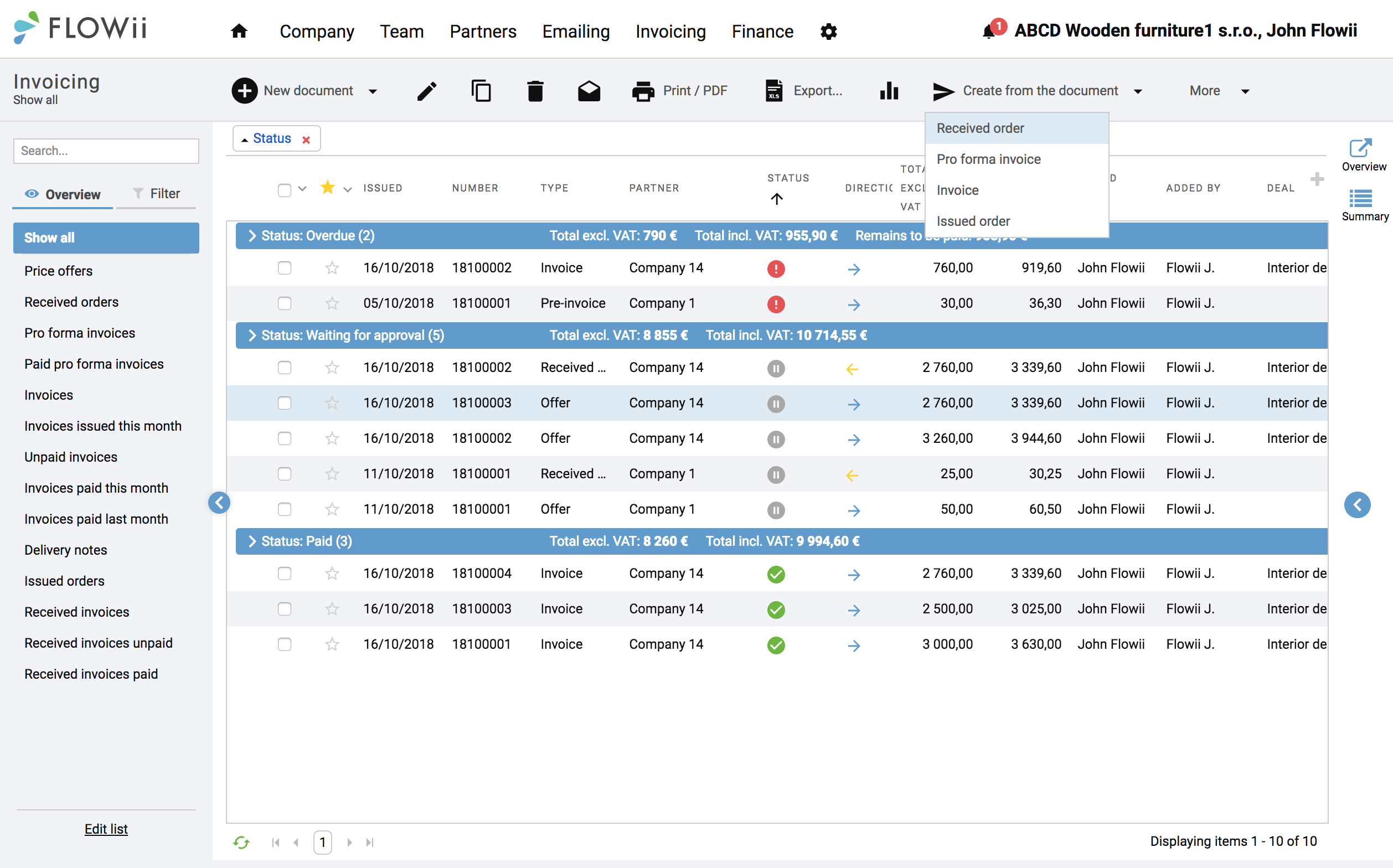
Online price list
Online overview of the products and services
FLOWii’s online price list saves time and keeps your products always at hand, so you can create invoices, orders, or offers anytime.
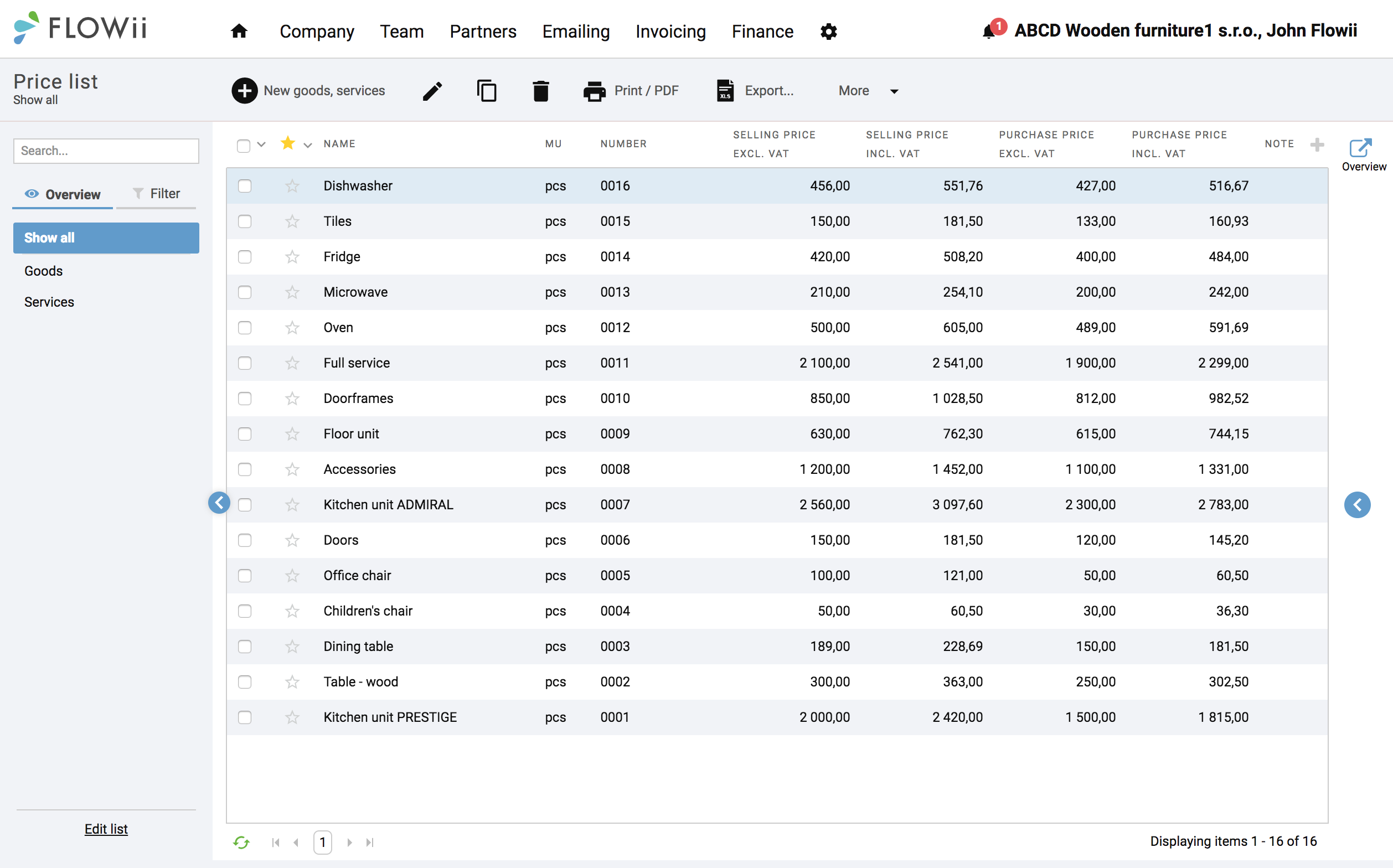
Payment management
Spot your debtors easily
Get a clear overview of unpaid and overdue invoices and keep better control of your debtors directly from the FLOWii dashboard.
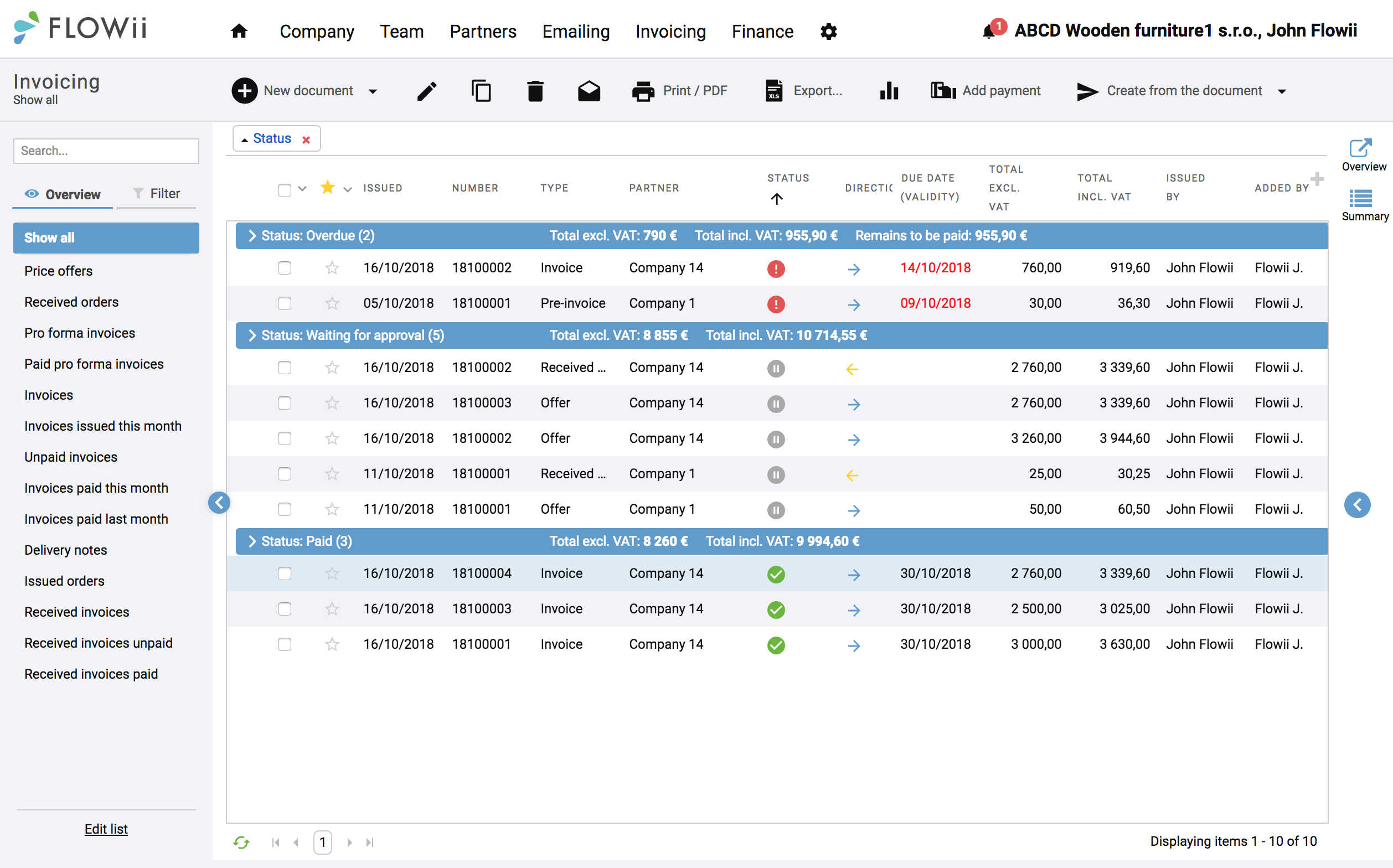
Invoicing with a discount
Automatic discount calculation
Do you want to reward your loyal customers with a discount? FLOWii automatically calculates it for you. You only need to decide what kind of discount to offer.
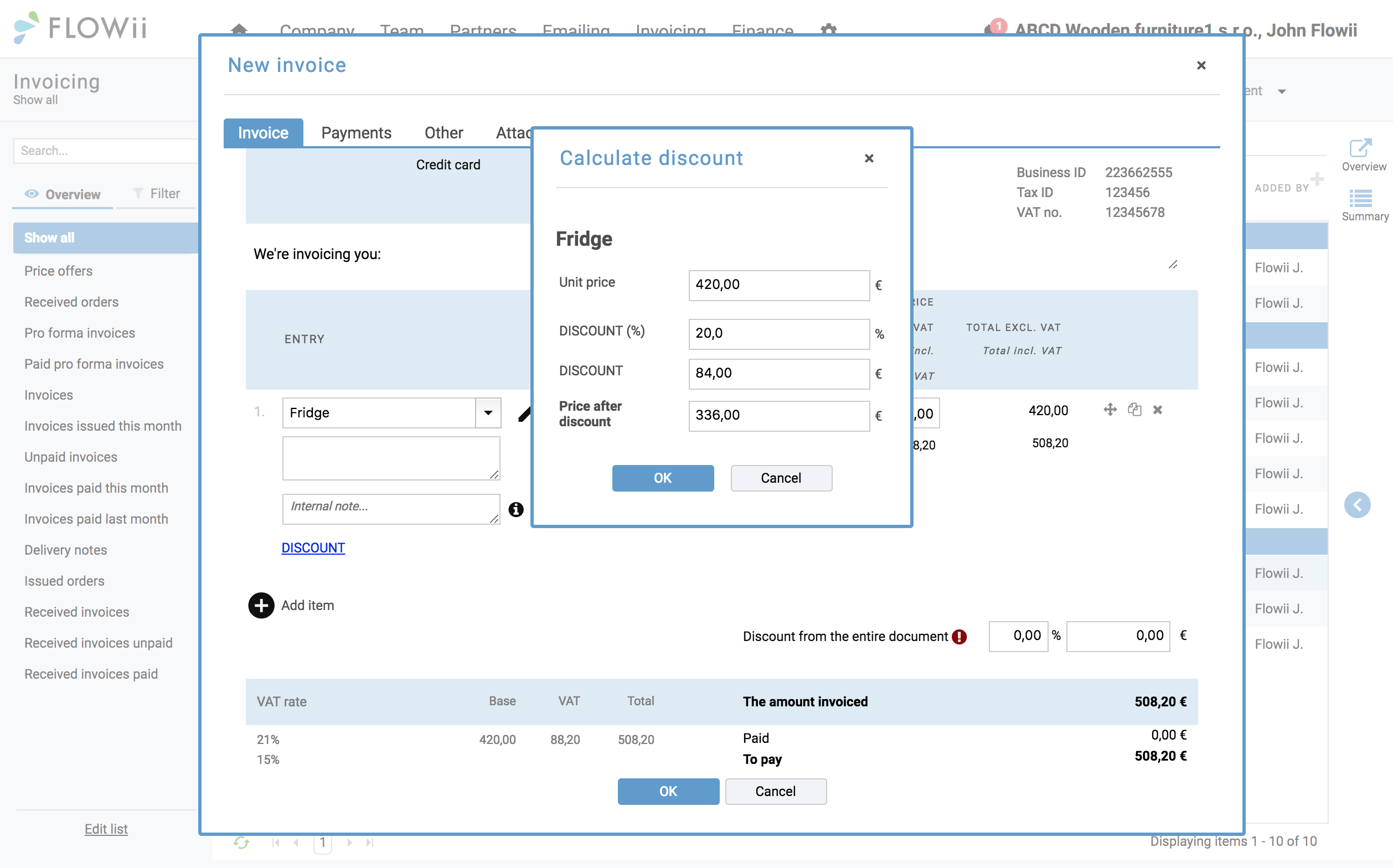
Sending documents
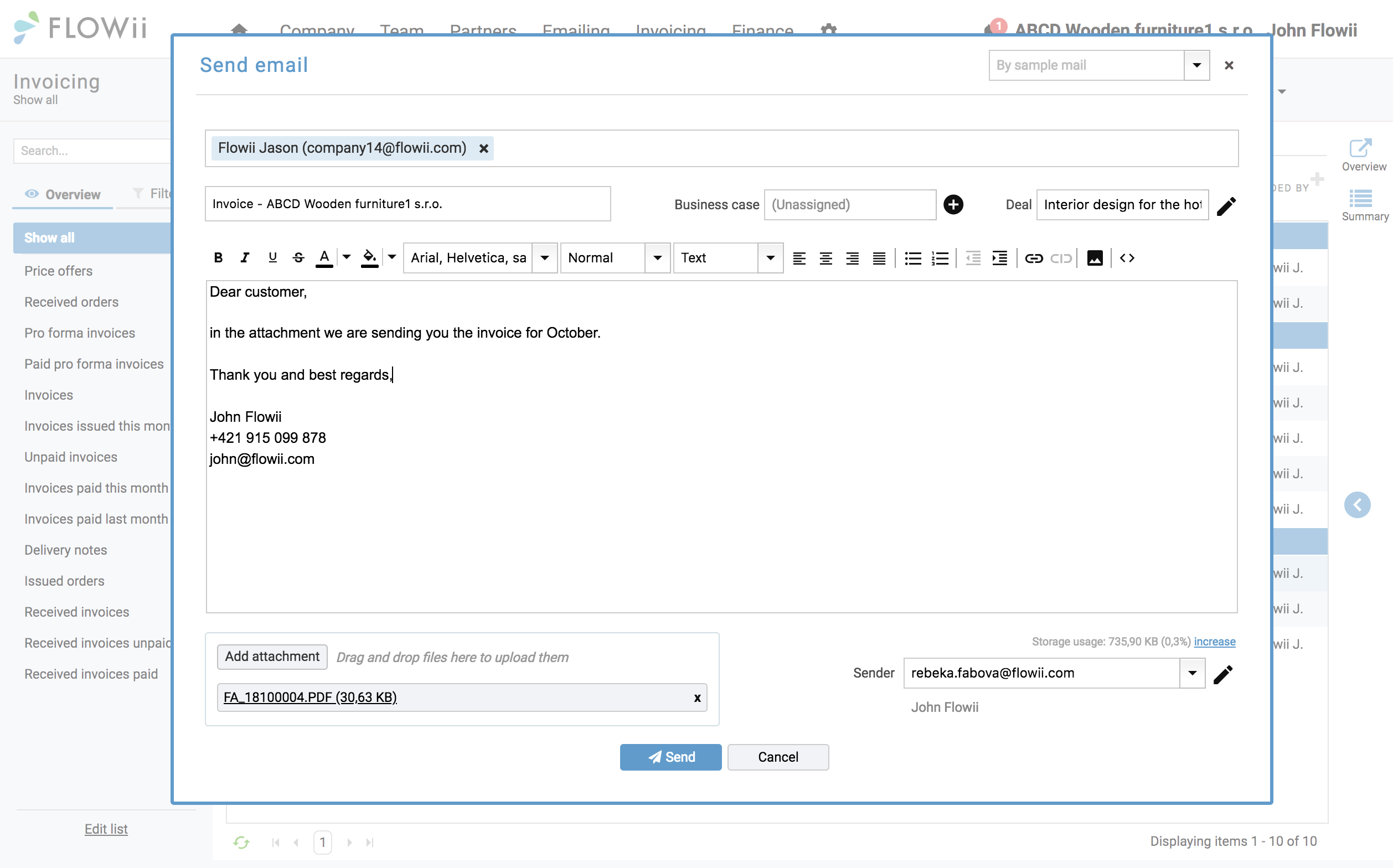
E-mail your invoice right away
Send invoices directly by email and track delivery and read status in one place.
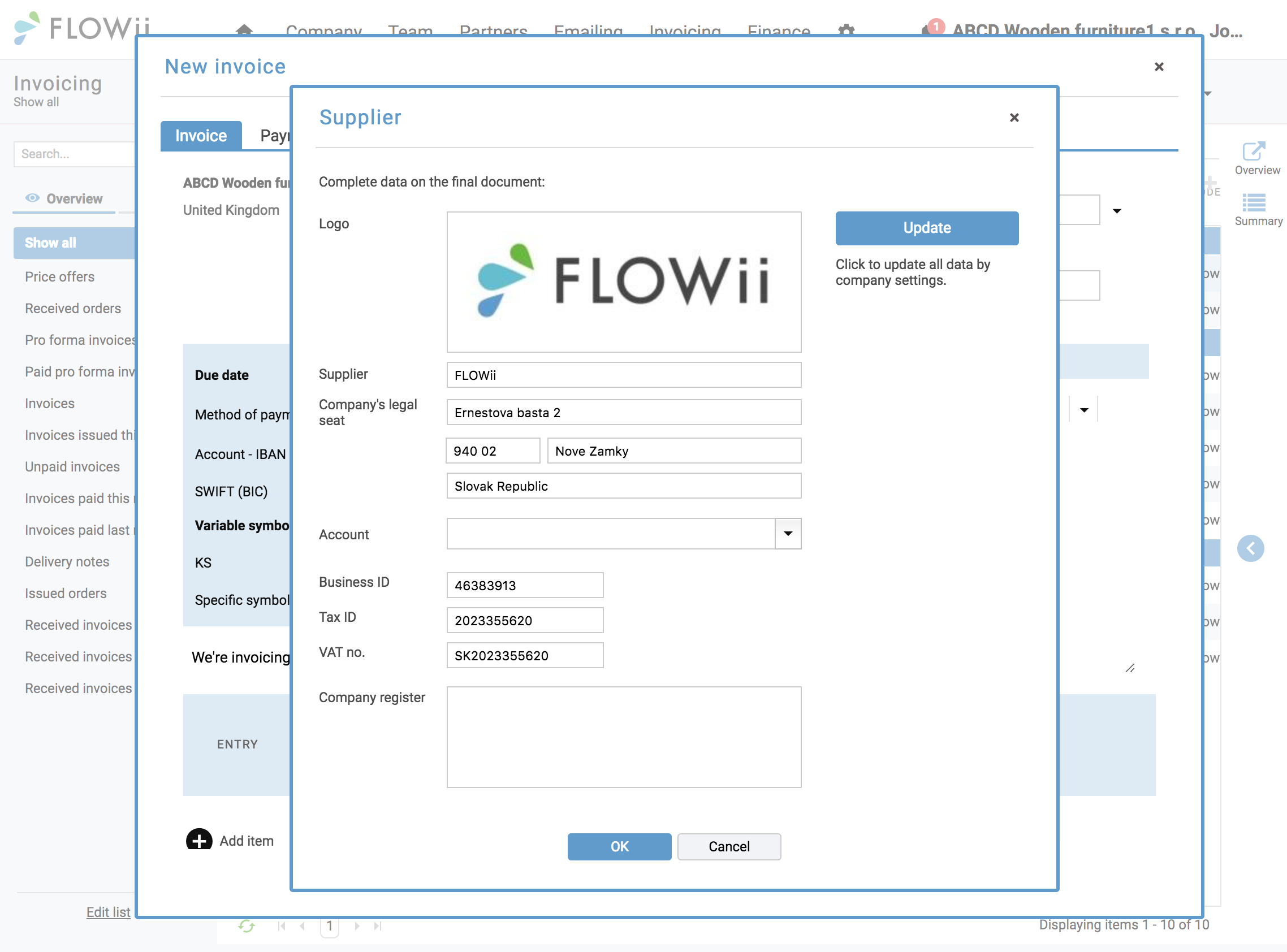
Documents your customers are happy to pay
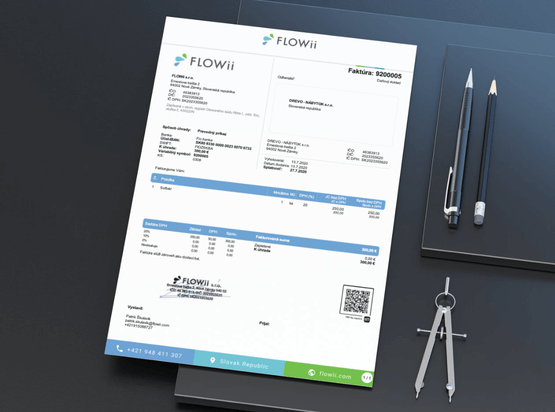
Your invoices speak for your brand. With FLOWii, every document leaves a professional impression.
• Own logo
• Professional design
• Highly transparent
• Scanned signature
• Multiple languages (SK, CZ, EN, PL, DE, HU)
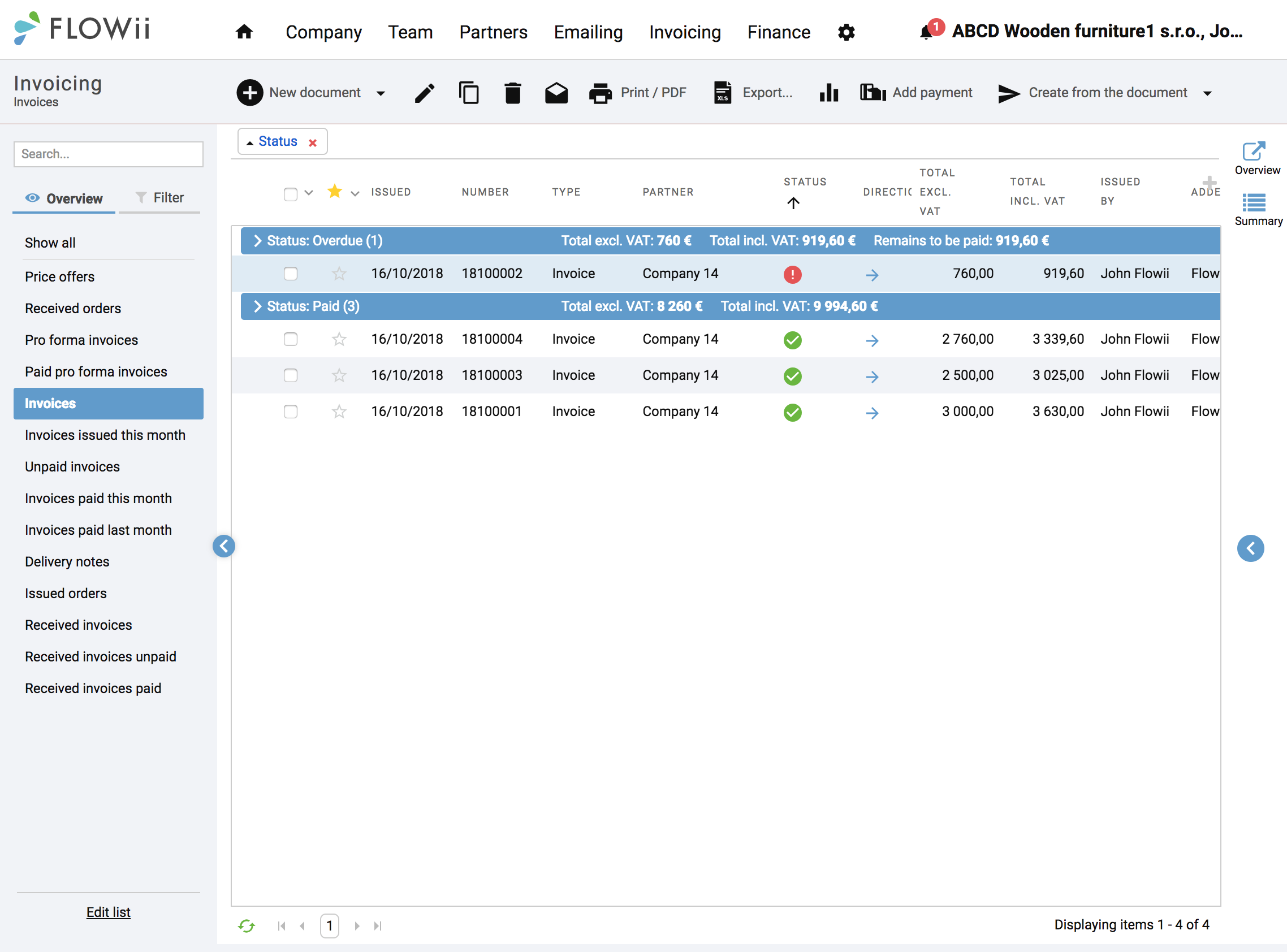
Overview of your documents
Keep all invoices and documents in one place. With FLOWii, you can instantly see past offers and save both time and office space.
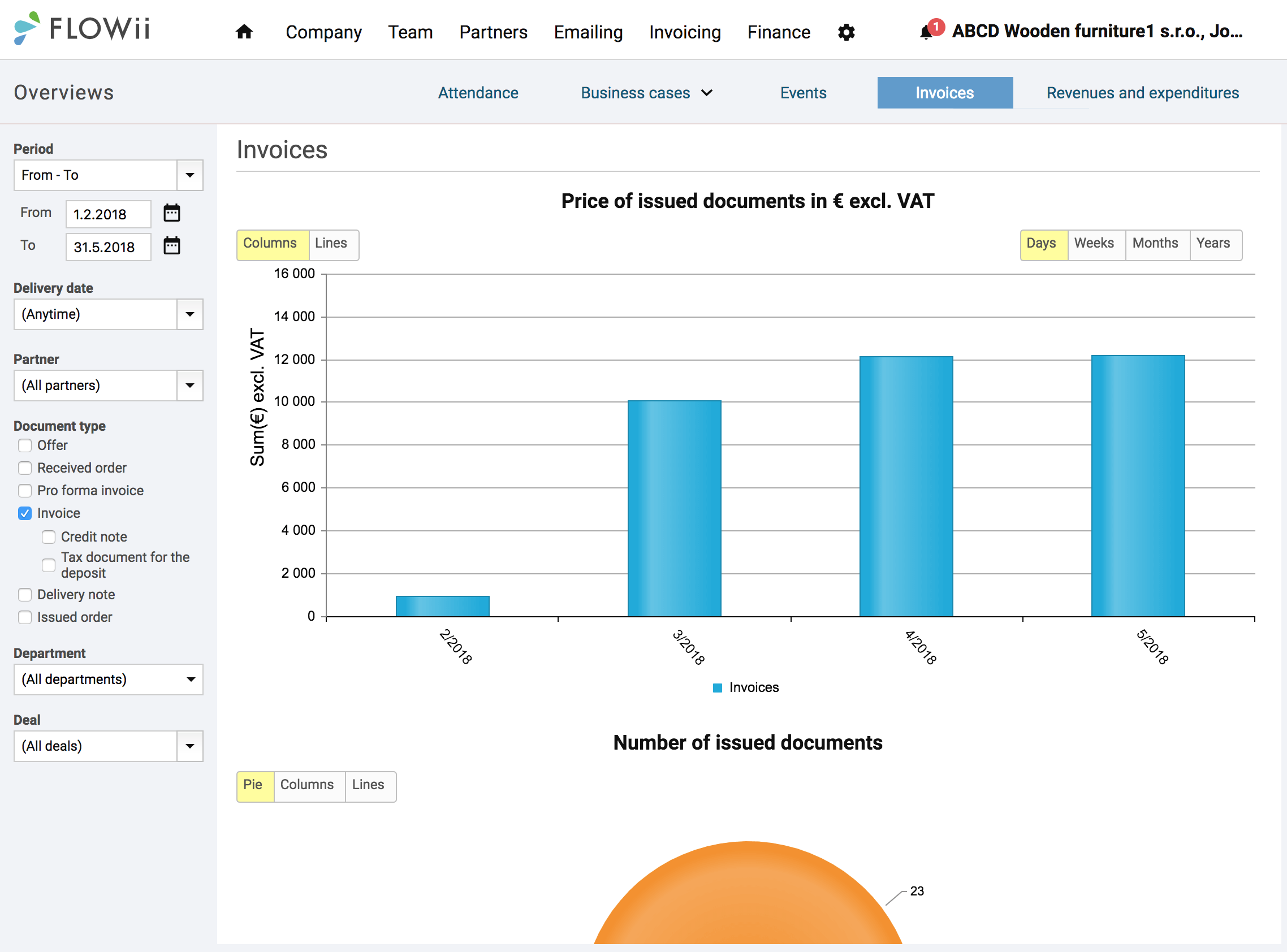
See your business results in visual form
See invoiced totals, offer-to-invoice conversion, and revenue trends in clear, visual charts — all online with FLOWii Invoicing.
Why choose a simple invoicing system?
- All customer data and documents in one clear overview
- Less paperwork, more time for real business
- Simple control over sales, invoices, and follow-ups
- Fast, accurate reports for better decisions
- Easy collaboration across your team
- Secure online access to data anytime, anywhere
Integration
Automatic connections
Easily connect FLOWii with banks, accounting tools, and other platforms using API integration.
Benefits
Free for every license
FLOWii is an easy-to-use invoicing app for your business. You receive customer support, online consultations, and regular updates at no extra cost.
Everything in one place
One account gives you access to all FLOWii tools and a complete business overview.
We’re happy to help
Have a question or need advice? We’re available weekdays from 9:00 a.m. to 5:00 p.m.
Free online consultation
Get your first training free, with setup support tailored to your needs.
Price
How much will invoicing cost you?
You get the FLOWii invoicing program FREE for ONE user.
If you want access to all invoicing features, after the trial period one user costs €6 per month or €5.10 per month with annual billing.
See everything FLOWii can do in our pricing list.
Our clients said about us
We grow thanks to our references

With FLOWii, we managed to automate many small processes. Which saved us a lot of time.


FLOWii is great not only in management but also in having order and clarity of all of our finances and activities in the company.


Our goal was to find a reliable solution for the sales team, combined with an easy implementation process.


FLOWii plays a key role in managing our orders and improving overall efficiency.

Q&A
FLOWii Invoicing in short
Is FLOWii completely free?
FLOWii offers a free plan for one user, allowing you to issue an unlimited number of invoices at no cost.
The free plan has some limitations on advanced features, with full functionality available in paid plans.
Why to choose FLOWii invoicing?
Invoicing is part of every business, but it shouldn’t take up your time. Administration doesn’t make money, but your work does. FLOWii gives you a simple, affordable invoicing solution with powerful features, so you can create invoices, orders, and documents in minutes instead of spending unnecessary time on paperwork.
FLOWii is more than just invoicing. It also offers a range of other useful modules:
-
CRM – Manage contacts, leads, and customer interactions all in one place
-
ERP – Support your sales, products, pricing, and core business processes
-
Attendance & Time Tracking – Log work hours and monitor employee attendance
-
Document Management – Store and access all business documents centrally
-
Tasks & Projects – Plan, assign, and track teamwork and deadlines
-
Sales Pipeline – Track deals, opportunities, and revenue forecasts
-
Automations – Reduce manual work with workflows and reminders
How to choose the best invoicing software?
-
Look for ease of use and quick setup
-
Make sure it covers core features like invoices, payments, and reports
-
Check if it supports automation and reminders
-
Ensure secure online access and data storage
-
Choose a solution that fits your budget and can grow with your business
What is invoicing?
Invoicing is the process of creating a document that lists goods or services provided and the amount due. It helps businesses track sales and collect payments.
What is an invoicing software?
What are the best invoicing features?
How does invoicing work?
-
Create an invoice with customer and product details
-
Calculate totals, taxes, and discounts
-
Send the invoice to the customer
-
Track payment status and due dates
-
Record the payment and store the document
How can I improve my invoicing process?
You can improve your invoicing process by using invoicing software with automation. Automate document creation, save customer details for reuse, send invoices digitally, and set up automatic reminders when invoices are overdue. This reduces manual work, speeds up payments, and helps you stay organized.
Which software is best for invoicing?
What’s a good invoicing tool for freelancers?
A good invoicing tool for freelancers should be simple, fast, and affordable. Recommended options include:
-
FLOWii – Ideal for freelancers with easy and free invoice creation, customer profiles, automated reminders, and online access.
-
Zoho Invoice – Free plan available with automation and multi-currency support.
-
FreshBooks – Very user-friendly with time tracking and client billing.
-
Wave – Free invoicing with basic accounting features.
For freelancers who want simplicity plus powerful features at a fair price, FLOWii is a great choice.
Which industries use invoicing software most frequently?
-
Construction and building services
-
Electrical and plumbing services
-
HVAC and maintenance services
-
Manufacturing and production
-
Logistics and transportation
-
Warehousing and distribution
-
Cleaning and facility services
-
Landscaping and gardening services
-
Automotive repair and servicing
-
Installation and assembly services
How much does an online invoicing program cost?
Online invoicing software prices vary widely, usually ranging from free plans for basic use up to around €10–€30+ per user/month for more advanced features. For example, FLOWii invoicing costs €6 per month per user, or €5.10 per month with annual billing, offering a strong balance of features and affordability compared to many competitors.
How to manage invoicing?
Manage invoicing by using clear templates, setting payment terms upfront, invoicing regularly, and tracking unpaid invoices so you can follow up on time.
What is progress invoicing?
Progress invoicing is a billing method where you invoice customers in stages as work is completed, instead of charging the full amount at once. It’s commonly used for long-term projects and helps improve cash flow while keeping billing aligned with project progress.
Is storing data in FLOWii safe?
Yes, FLOWii uses secure cloud storage and industry-standard protections to keep your data safe and accessible only to authorized users.
Is it possible to invoice in FLOWii from a mobile phone or computer?
Yes, FLOWii is cloud-based, so you can create and manage invoices from both your mobile phone and computer anytime, anywhere.